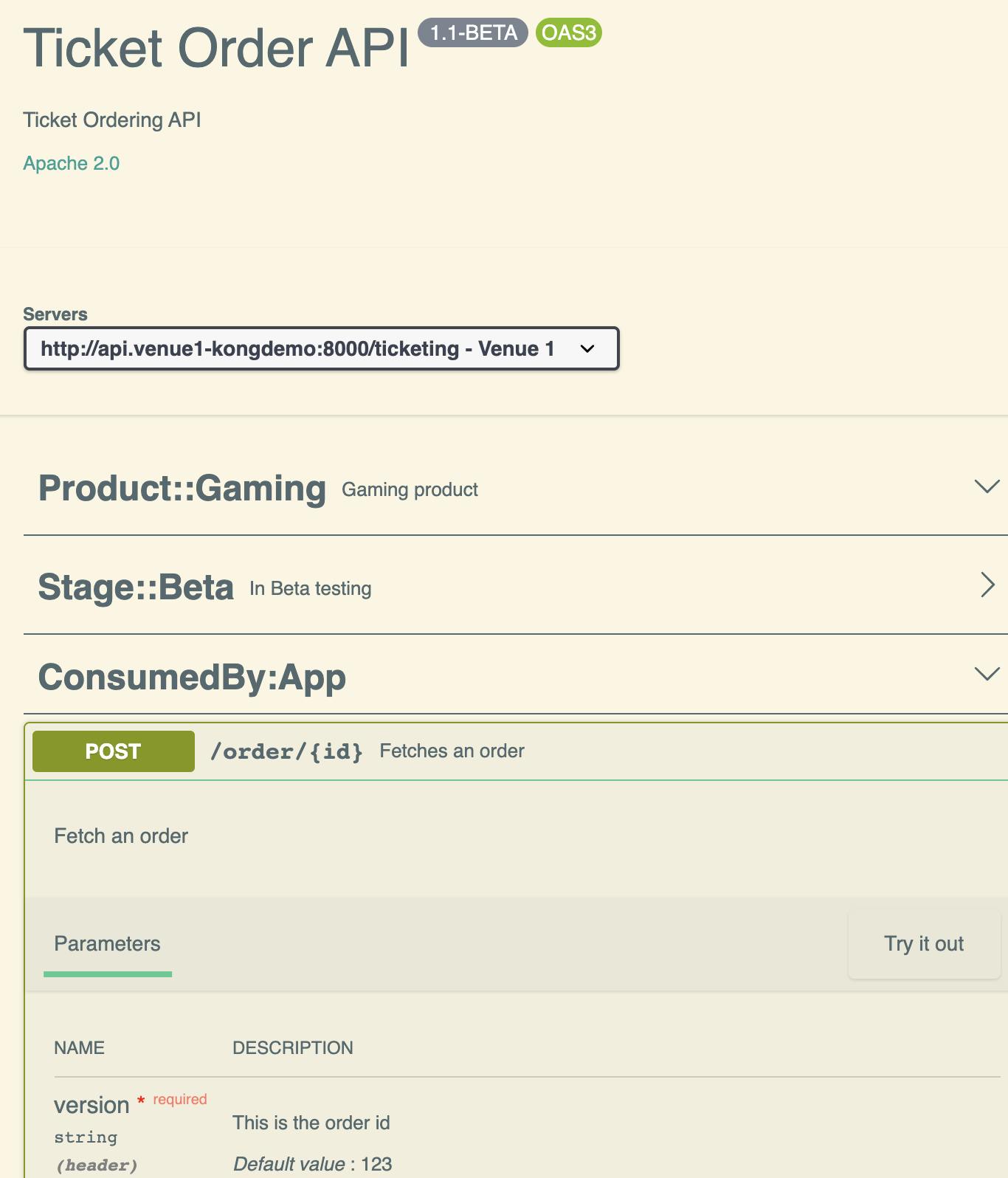
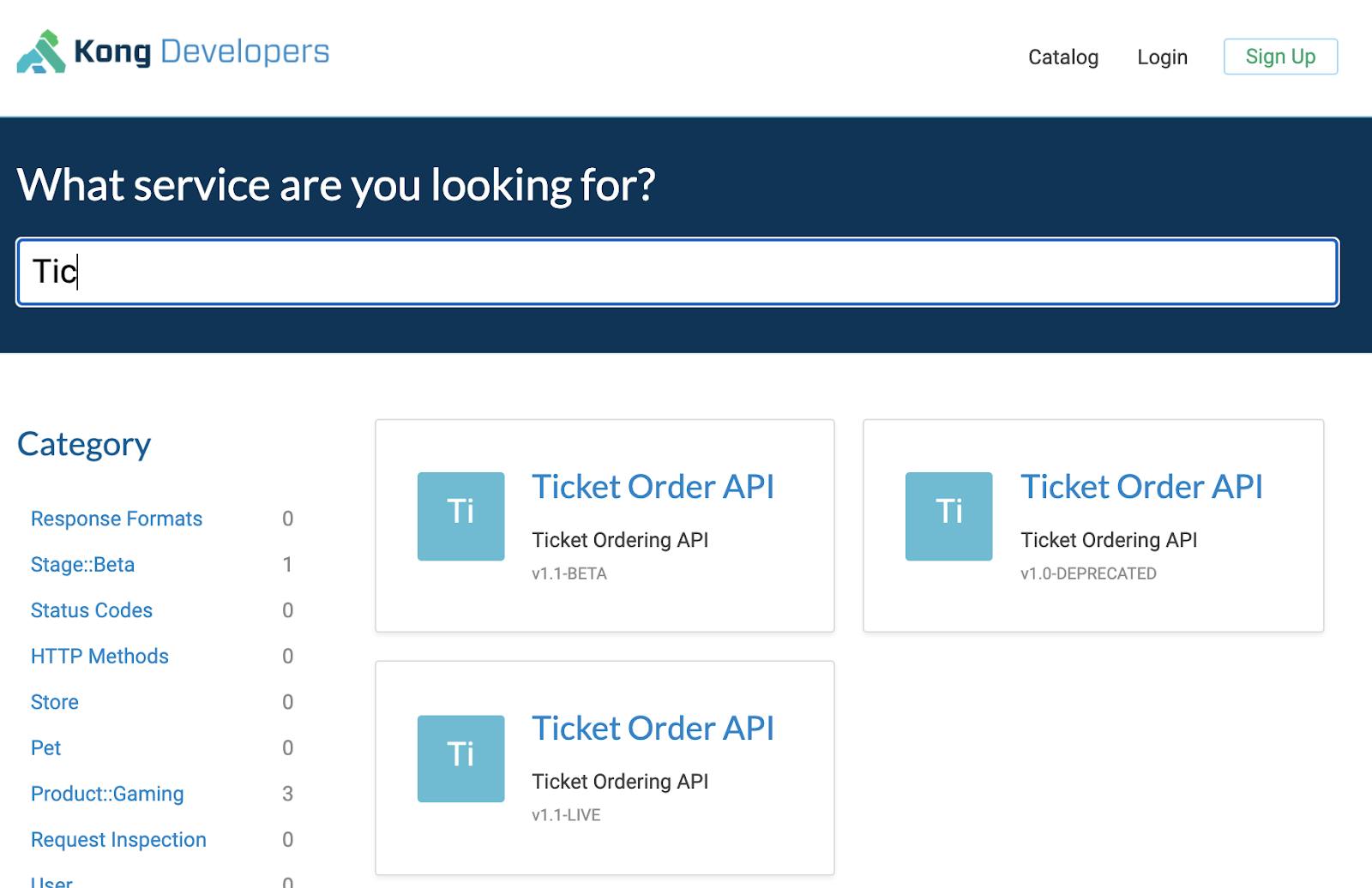
We will keep microservices versioning strategies that utilize other protocols like gRPC, GraphQL, eventing, etc. out of scope for this. Instead, we'll cover the RESTful APIs documented with OpenAPI specification, which remains the most common way to publish and manage APIs with versions today.
## How Do API Versions Work in Kong?
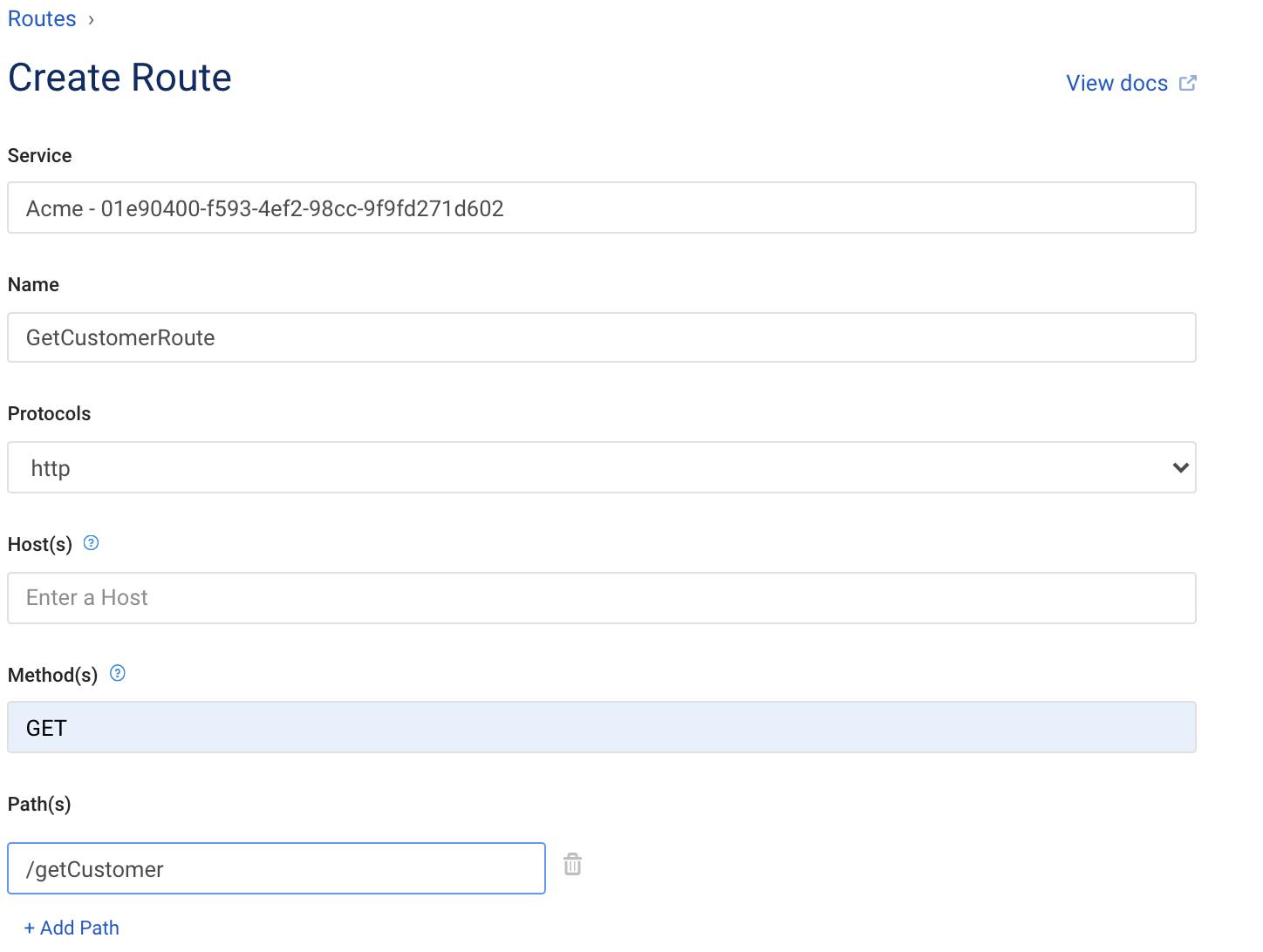
The answer to this is simple: versions are handled by Routes, as illustrated below.
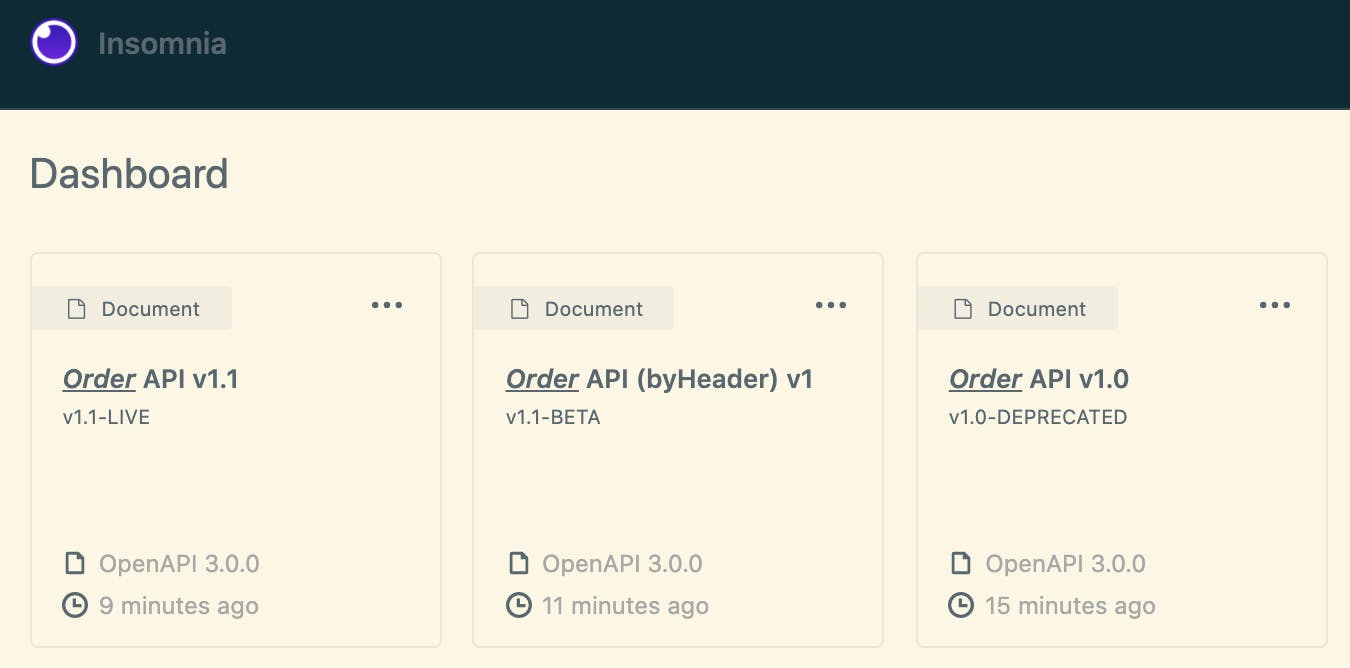
Here is what my Insomnia workspace looks like for Order APIs:
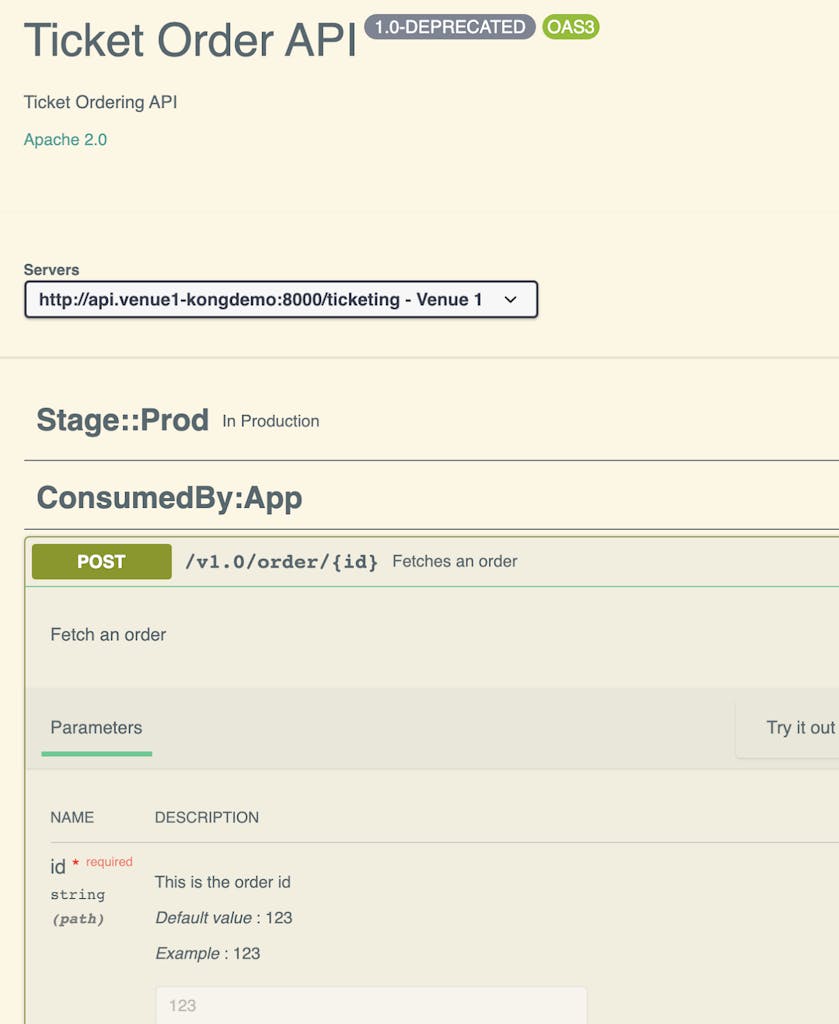
### Order API v1.0
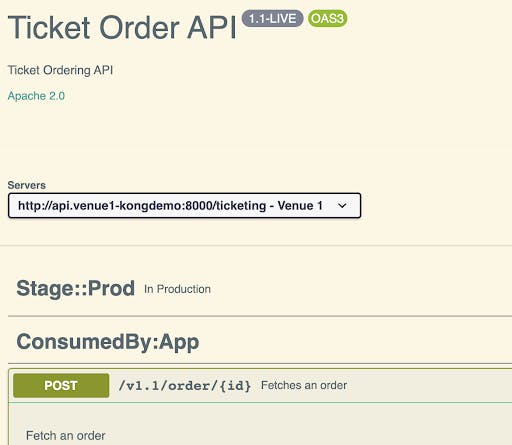
Insomnia offers a design view to provide a preview of OpenAPI specification.
You could deploy the v1.0 API configuration in decK format using the built-in OpenAPI to Kong configuration tooling. Insomnia automatically generates the regular expression for the route/path from the specification, saving you time to focus on implementing your business logic for the Order API.
Kong Dev Portal supports content-level permissions management. This serves two primary purposes:
- Provide role-based view access to APIs published on the Catalog
- Manage multiple versions on the Catalog (e.g., tag with lifecycle stages or hide deprecated or un-used versions)
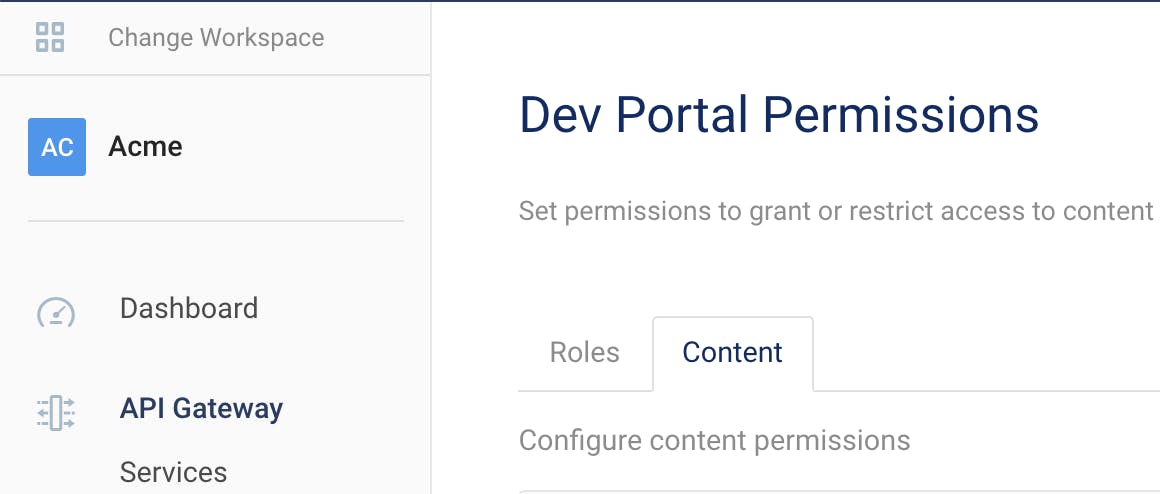
Here is where you can manage content permissions within the Dev Portal section of Kong Manager:
In the example below, you can specify the view permission for API specifications based on the below levels:
- Public/Unauthenticated
- Registered/Authenticated
- Role-based (Authenticated)
## Implementation Guidelines
Until now, we've focused on designing APIs to handle versions within API specifications. Next, we'll need to route the requests based on the incoming version to the appropriate API implementation (e.g., a microservice). Kong, with its transformer plugins, makes this very simple. Below I list two approaches on how you can route to the upstream (backend API implementation) based on the type of versioning you have within your API specification.
**Approach 1 **- URI-Based Versioning With URL Rewriting Before Routing to Backend Services
ServiceHub in Konnect SaaS control plane is a central API repository that acts as a service registry for easy discoverability of APIs. The good news is we have brought versioning as an in-built feature for Service packages.
## Service Packages and Versions
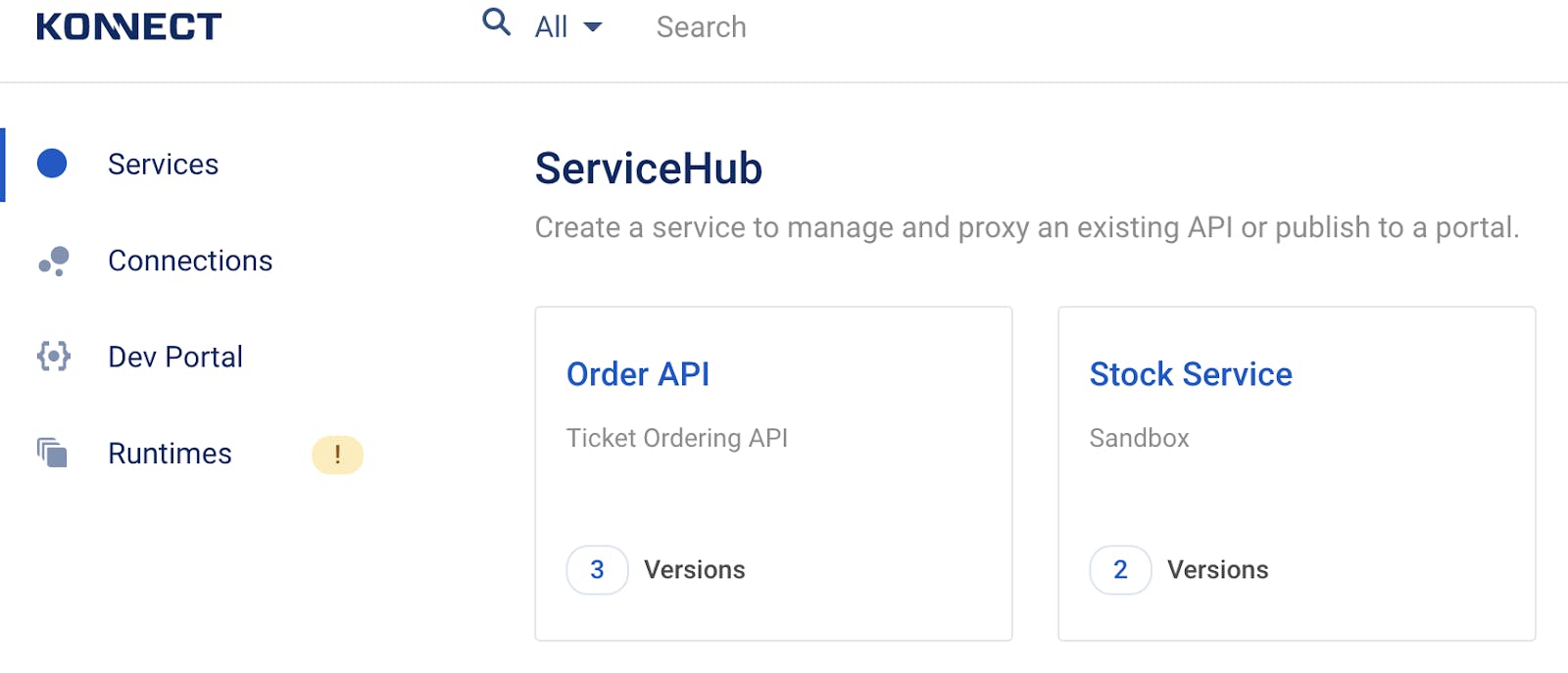
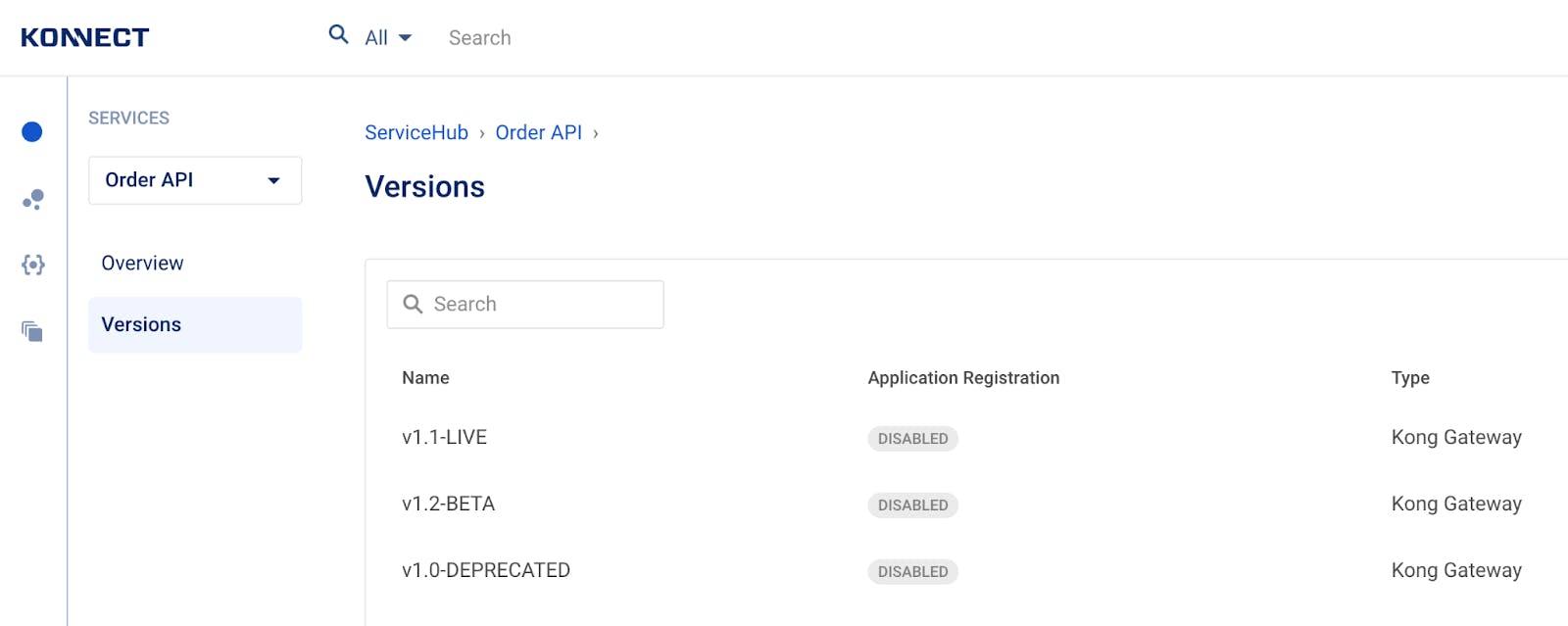
Here is how the same Order API with its three different versions sit within one Service package in Service Hub. Cool, isn't it?
## Migration
Are you thinking, "How could I move between Konnect self-managed and Hybrid SaaS to take advantage of versions in Service package?" Not to worry, with the new deck convert command, released in [decK](https://docs.konghq.com/deck)decK v1.7, you’re now able to convert the configuration between them easily.
So, what exactly is Kong Insomnia? Kong Insomnia is your all-in-one platform for designing, testing, debugging, and shipping APIs at speed. Built for developers who need power without bloat, Insomnia helps you move fast whether you’re working solo,
Juhi Singh
# Unpacking Distributed Applications: What Are They? And How Do They Work?
Distributed architectures have become an integral part of modern digital landscape. With the proliferation of cloud computing, big data, and highly available systems, traditional monolithic architectures have given way to more distributed, scalable,
Paul Vergilis
# Day 0 Service Mesh: Simplifying Microservices Management
The acceleration of microservices and containerized workloads has revolutionized software delivery at scale. However, these distributed architectures also introduce significant complexity around networking, security, and observability. As developmen
Domain-driven designs are popular in organizations that have complex domain models and wish to organize engineering around them. REST-based architectures are a common choice for implementing the API entry point into these domains. REST-based solu
Rick Spurgeon
# How to Design a Scalable Rate Limiting Algorithm with Kong API
What is rate limiting? Rate limiting protects your APIs from inadvertent or malicious overuse by limiting how often each user can call the API. Without rate limiting, each user may make a request as often as they like, leading to "spikes" of reques
Guanlan Dai
# How to Test Gateway APIs Directly from Kong Konnect with Insomnia
What You'll Build
To explore the new integration, I'll build a realistic API platform workflow using Konnect, Kong Gateway, and Insomnia.
By the end of this tutorial, I'll have:
A Konnect Control Plane (KongAir Dev)
A local Kong Gateway Data Pl
Juhi Singh
# GraphQL vs REST: Key Similarities and Differences Explained
Choosing the right API architecture is crucial for building efficient and scalable applications and the two prominent contenders in this arena are GraphQL and REST, each with its unique set of characteristics and benefits. Understanding the similari
Kong
# 6 Reasons Why Kong Insomnia Is Developers' Preferred API Client
So, what exactly is Kong Insomnia? Kong Insomnia is your all-in-one platform for designing, testing, debugging, and shipping APIs at speed. Built for developers who need power without bloat, Insomnia helps you move fast whether you’re working solo,
Juhi Singh
# Unpacking Distributed Applications: What Are They? And How Do They Work?
Distributed architectures have become an integral part of modern digital landscape. With the proliferation of cloud computing, big data, and highly available systems, traditional monolithic architectures have given way to more distributed, scalable,
Paul Vergilis
# Day 0 Service Mesh: Simplifying Microservices Management
The acceleration of microservices and containerized workloads has revolutionized software delivery at scale. However, these distributed architectures also introduce significant complexity around networking, security, and observability. As developmen
Domain-driven designs are popular in organizations that have complex domain models and wish to organize engineering around them. REST-based architectures are a common choice for implementing the API entry point into these domains. REST-based solu
Rick Spurgeon
# How to Design a Scalable Rate Limiting Algorithm with Kong API
What is rate limiting? Rate limiting protects your APIs from inadvertent or malicious overuse by limiting how often each user can call the API. Without rate limiting, each user may make a request as often as they like, leading to "spikes" of reques
Guanlan Dai
# How to Test Gateway APIs Directly from Kong Konnect with Insomnia
What You'll Build
To explore the new integration, I'll build a realistic API platform workflow using Konnect, Kong Gateway, and Insomnia.
By the end of this tutorial, I'll have:
A Konnect Control Plane (KongAir Dev)
A local Kong Gateway Data Pl
Juhi Singh
# GraphQL vs REST: Key Similarities and Differences Explained
Choosing the right API architecture is crucial for building efficient and scalable applications and the two prominent contenders in this arena are GraphQL and REST, each with its unique set of characteristics and benefits. Understanding the similari
Kong
# 6 Reasons Why Kong Insomnia Is Developers' Preferred API Client
So, what exactly is Kong Insomnia? Kong Insomnia is your all-in-one platform for designing, testing, debugging, and shipping APIs at speed. Built for developers who need power without bloat, Insomnia helps you move fast whether you’re working solo,
Juhi Singh
# Unpacking Distributed Applications: What Are They? And How Do They Work?
Distributed architectures have become an integral part of modern digital landscape. With the proliferation of cloud computing, big data, and highly available systems, traditional monolithic architectures have given way to more distributed, scalable,
Paul Vergilis
# Day 0 Service Mesh: Simplifying Microservices Management
The acceleration of microservices and containerized workloads has revolutionized software delivery at scale. However, these distributed architectures also introduce significant complexity around networking, security, and observability. As developmen
Domain-driven designs are popular in organizations that have complex domain models and wish to organize engineering around them. REST-based architectures are a common choice for implementing the API entry point into these domains. REST-based solu
Rick Spurgeon
# How to Design a Scalable Rate Limiting Algorithm with Kong API
What is rate limiting? Rate limiting protects your APIs from inadvertent or malicious overuse by limiting how often each user can call the API. Without rate limiting, each user may make a request as often as they like, leading to "spikes" of reques
Guanlan Dai
# How to Test Gateway APIs Directly from Kong Konnect with Insomnia
What You'll Build
To explore the new integration, I'll build a realistic API platform workflow using Konnect, Kong Gateway, and Insomnia.
By the end of this tutorial, I'll have:
A Konnect Control Plane (KongAir Dev)
A local Kong Gateway Data Pl
Juhi Singh
# GraphQL vs REST: Key Similarities and Differences Explained
Choosing the right API architecture is crucial for building efficient and scalable applications and the two prominent contenders in this arena are GraphQL and REST, each with its unique set of characteristics and benefits. Understanding the similari
Kong
## Ready to see Kong in action?
Get a personalized walkthrough of Kong's platform tailored to your architecture, use cases, and scale requirements.