




We're Entering the Age of AI Connectivity [Read more](/blog/news/the-age-of-ai-connectivity)Read moreProducts & Agents:

# Kong Konnect on Amazon Web Services (AWS)

Kong extends AWS with a unified control plane for API management and AI connectivity across AWS services including Bedrock and AgentCore.

## From APIs to AI: one control plane across AWS

AWS provides the foundation for modern API and AI workloads. Kong extends that foundation with advanced production capabilities across AWS API Gateway, Bedrock, and AgentCore.

[_Certified on AWS_](https://partners.amazonaws.com/partners/0010L00001siBxVQAU/Kong%20Inc.)_Certified on AWS_, Kong helps organizations scale API and AI connectivity with confidence across multi-cloud, multi-provider, and multi-agent environments.

### Deploy Kong the way you want

Use AWS CloudFormation, AWS CDK, Terraform, Pulumi, or AWS CLI to deploy Kong across the AWS environments that fit your architecture.

### Unify API and AI traffic on AWS

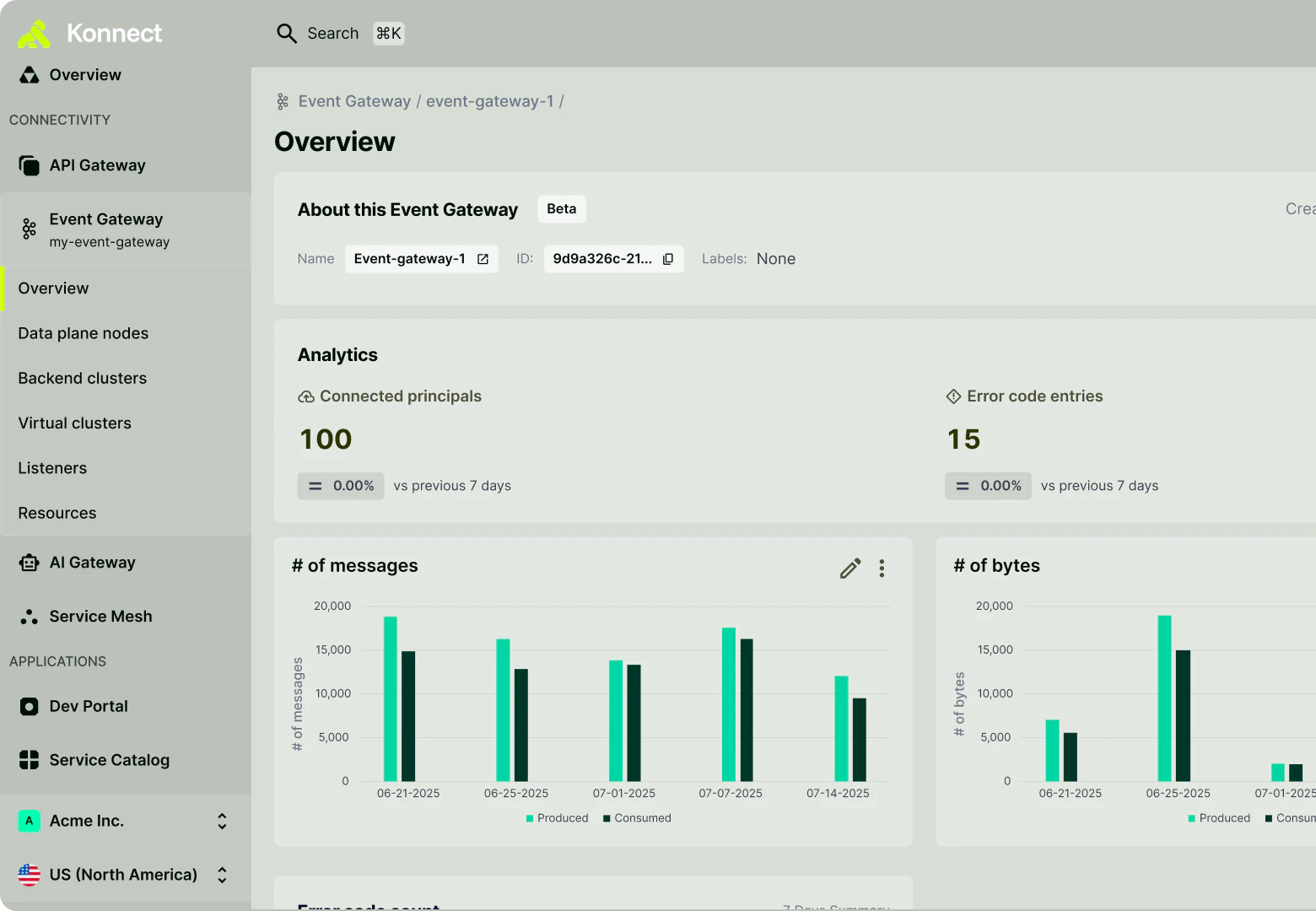
Leverage Kong’s unified control plane to manage API, LLM, MCP, A2A, and event traffic across AWS API Gateway, Bedrock, and AgentCore.

### Optimize performance and lower costs

Run Kong on AWS Graviton instances to achieve up to 40% better price-performance with sub-millisecond, delivered globally at scale across AWS regions.

### Reduce procurement friction

Easily procure Kong through the AWS Marketplace. Draw down your committed spend and accelerate time to procurement with your AWS account. 

## Extend Bedrock and AgentCore projects from POC to production with Kong

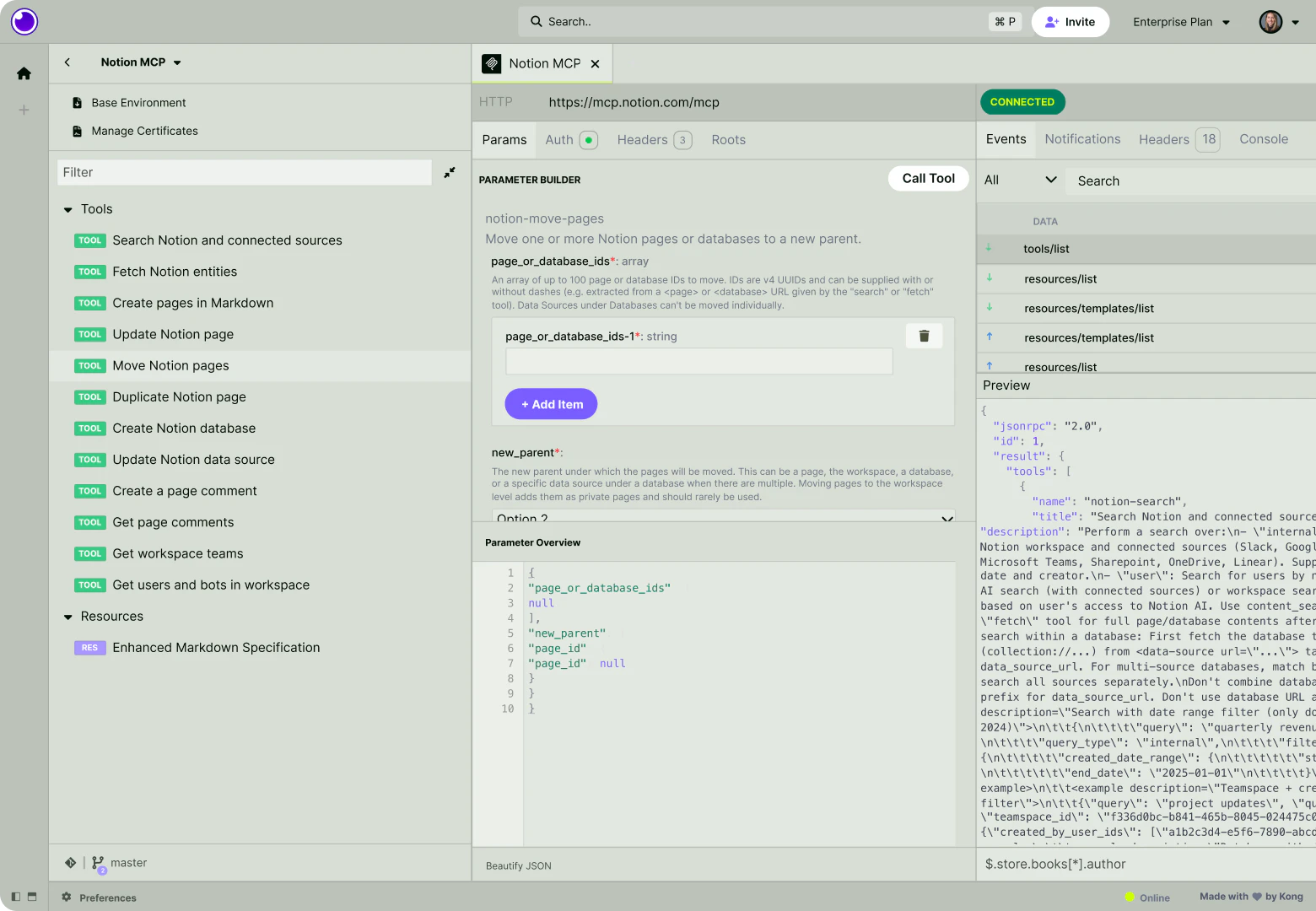
Use Bedrock for model access, AgentCore for secure agent hosting, and Kong to govern the full AI data path across LLMs, MCP, and A2A.

_01/ LLM Governance_

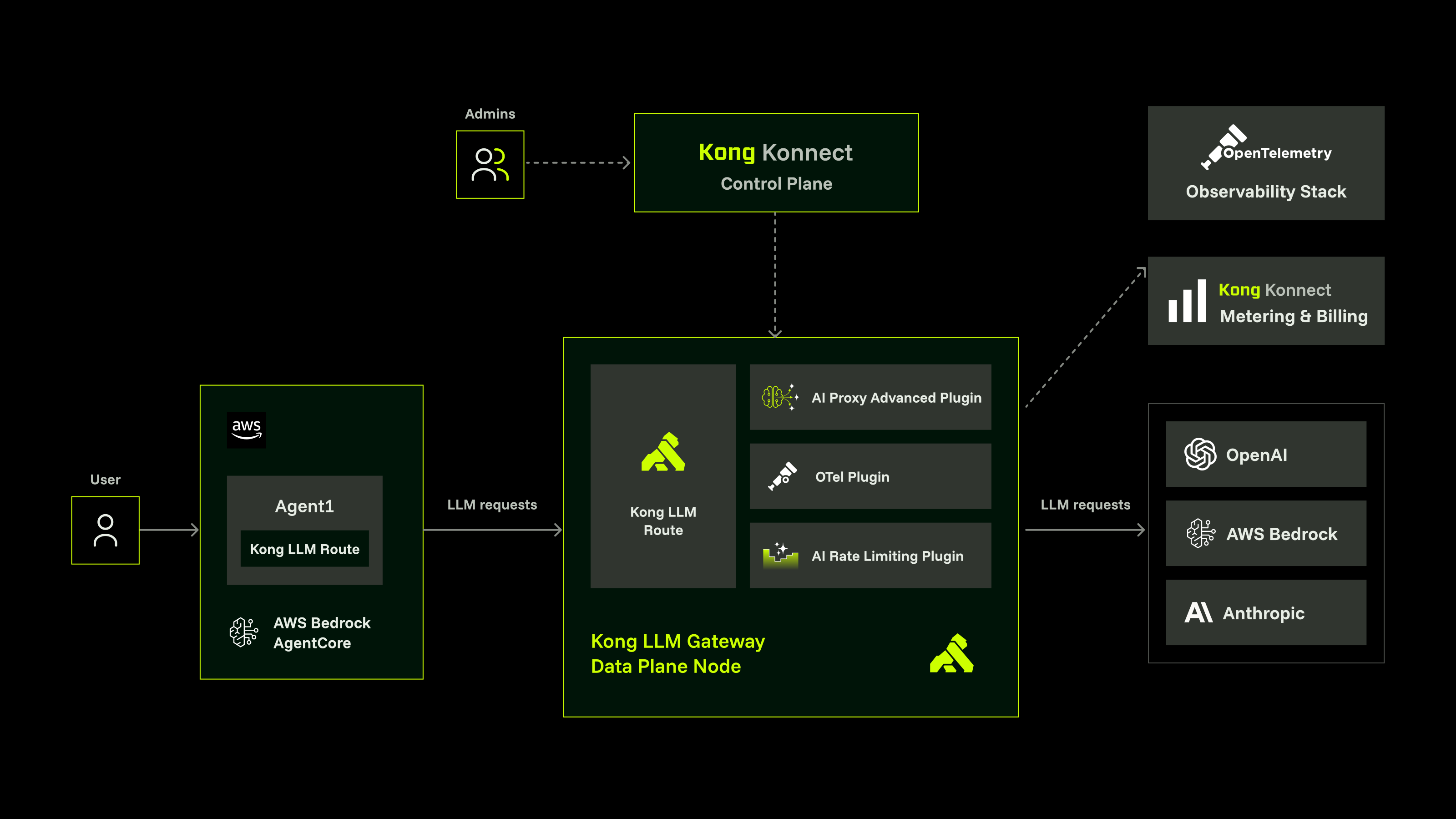
## Govern Bedrock and multi-provider LLM traffic

  • - **Route by model, not topology: **Kong routes traffic by the model field, with multi-region EWMA failover when a provider degrades.
  • - **Control spend with global token budgets:** Use Kong to aggregate usage across Bedrock, Anthropic, OpenAI, Databricks, DeepSeek, and vLLM with per-model sub-caps.
  • - **Get started quickly: **Validate routing and failover in your POC, then layer in semantic caching and content security with Kong.
_02/ MCP Governance_

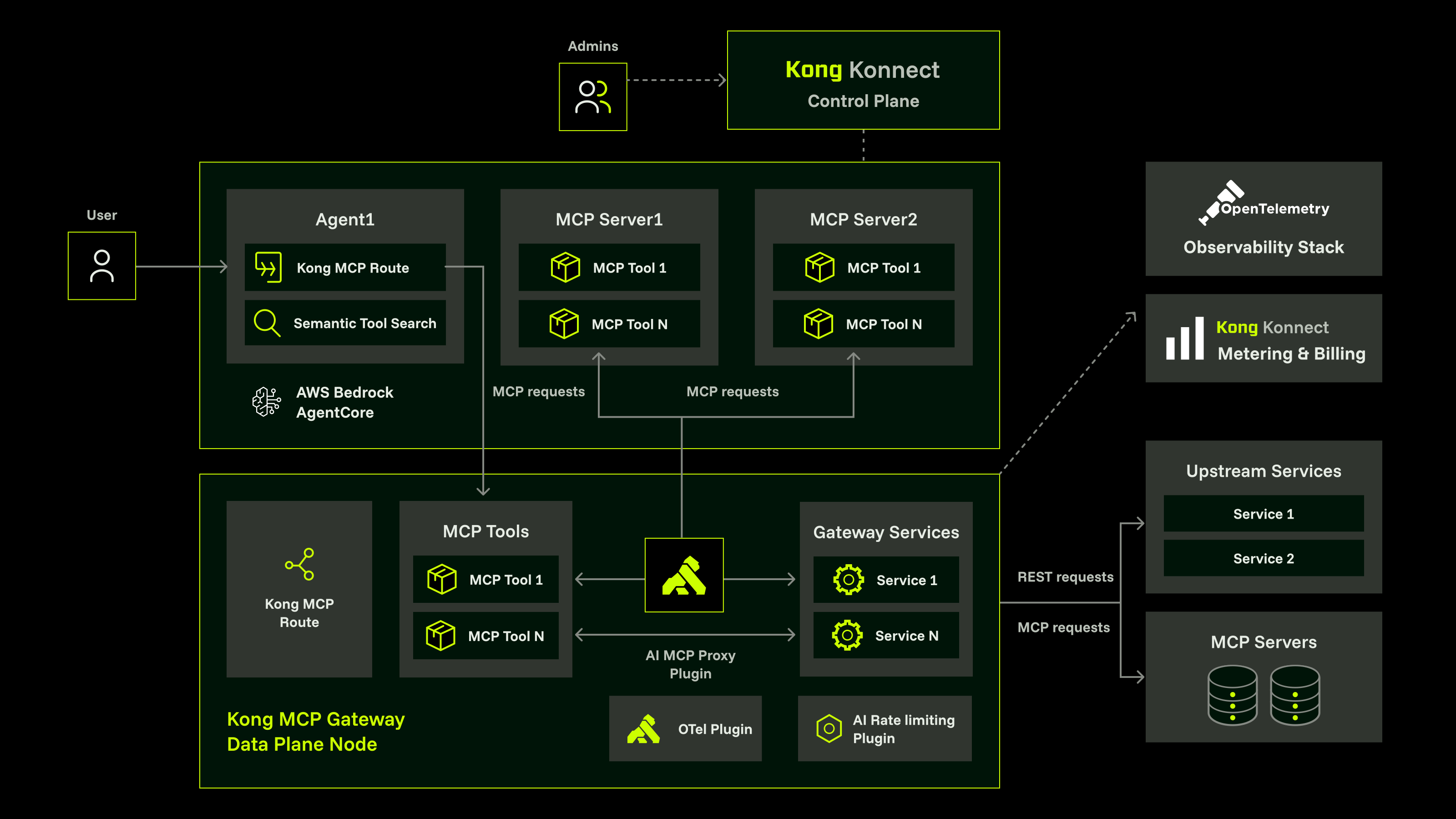
## Extend AgentCore with config-driven MCP tool governance

  • - **Connect tools across any environment:** Kong extends AgentCore to MCP tools across AWS, GCP, Azure, on-prem, and SaaS through config-driven integration.
  • - **Scope-based filtering with OAuth 2.1: **OAuth 2.1 with RFC 8693 token exchange enables scope-based, per-tool access control for every agent call.
  • - **Self-service for agent teams:** The MCP Developer Portal gives builders a curated tool catalog with docs and auth flows.
_03/ A2A Governance_

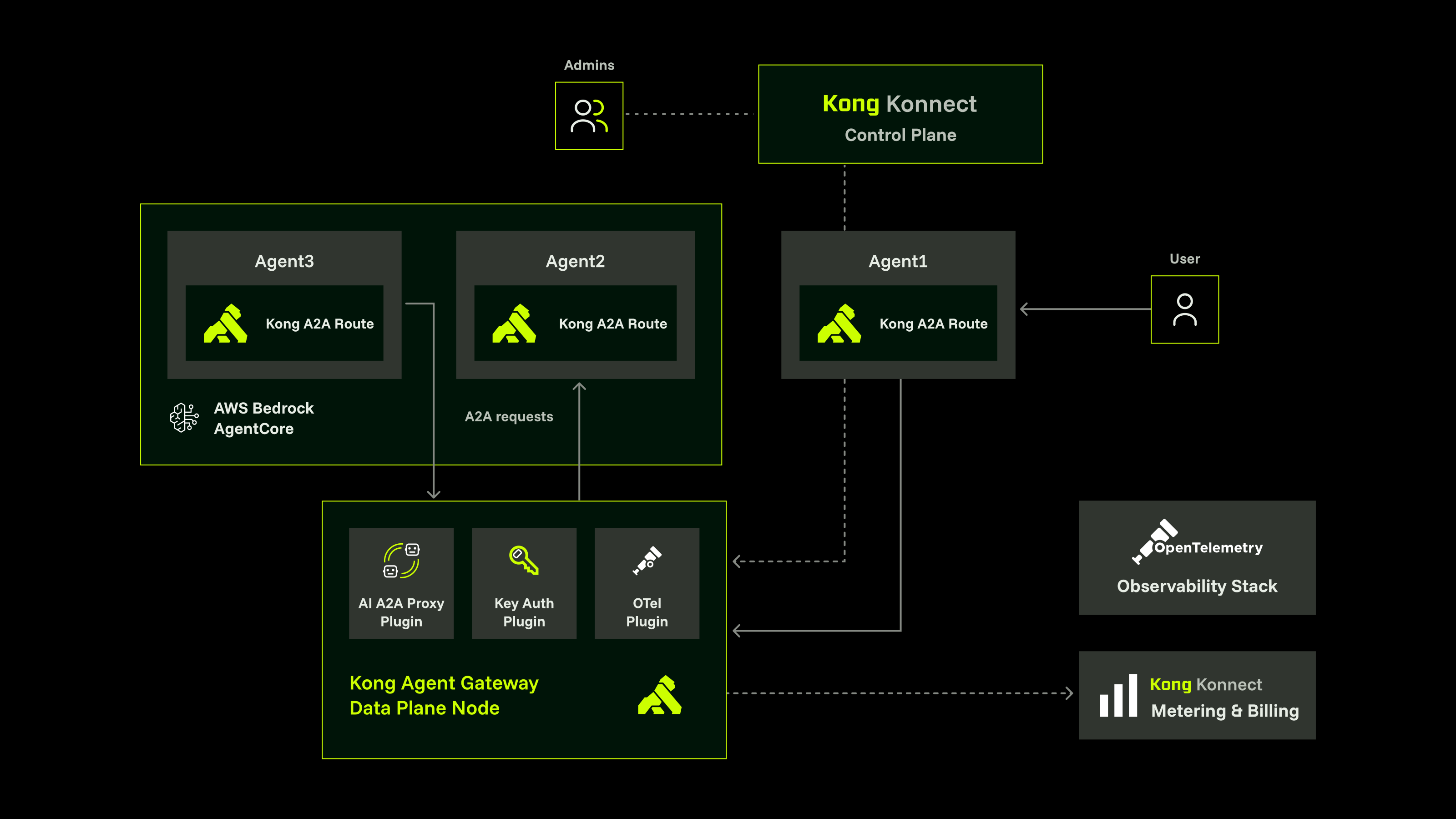
## Add agent-to-agent governance to AgentCore pipelines

  • - **Put Kong in the path of A2A traffic:** The A2A Proxy plugin adds auth, rate limiting, and observability to agent-to-agent pipelines.
  • - **Identity and audit for every A2A hop:** Kong applies consistent auth across agent-to-agent calls, with OTEL traces to Datadog, Splunk, or Elastic.
  • - **Pilot, then scale:** Start with research or ops workflows, then expand to full multi-agent orchestration with end-to-end observability.

## The Kong Platform on AWS

One platform to build, run, discover, monetize, and govern every connection on AWS.

_01/ BUILD_

## Design, test, and ship APIs faster

  • - **From design to mock to test: **Prototype, mock, and validate APIs before a single line ships to AWS.
  • - **Wired into your pipelines: **A spec-first workflow plugs directly into your AWS CI/CD and GitOps automation.
    **Built for collaboration:** Shared collections and specs keep API and AI teams working from one source of truth.
_02/ RUN_

## Run every transaction securely with Kong

  • - **Secure by default:** Apply auth, rate limiting, and mTLS consistently across every gateway and service.
  • - **Deploy the AWS way:** Deploy on Amazon EKS, Lambda, and Graviton, or run self-hosted and hybrid inside your private AWS accounts.
  • - **Scale with your AWS footprint: **Add Kong’s SaaS Dedicated Cloud Gateways or hybrid in your AWS account to extend capacity across most AWS regions as traffic grows, with one operational control layer.
_03/ DISCOVER_

## Make every API and tool discoverable

  • - **A single source of truth: **Pull your AWS API Gateway REST APIs into a unified Kong inventory alongside every other API, service, and AI tool across your estate.
  • - **Self-serve, not ticket-driven:** Self-service registration lets teams publish and onboard without central bottlenecks.
  • - **Faster time to first call:** Branded portals and try-it docs get developers productive in minutes.
_04/ MONETIZE_

## Turn API and AI usage into revenue

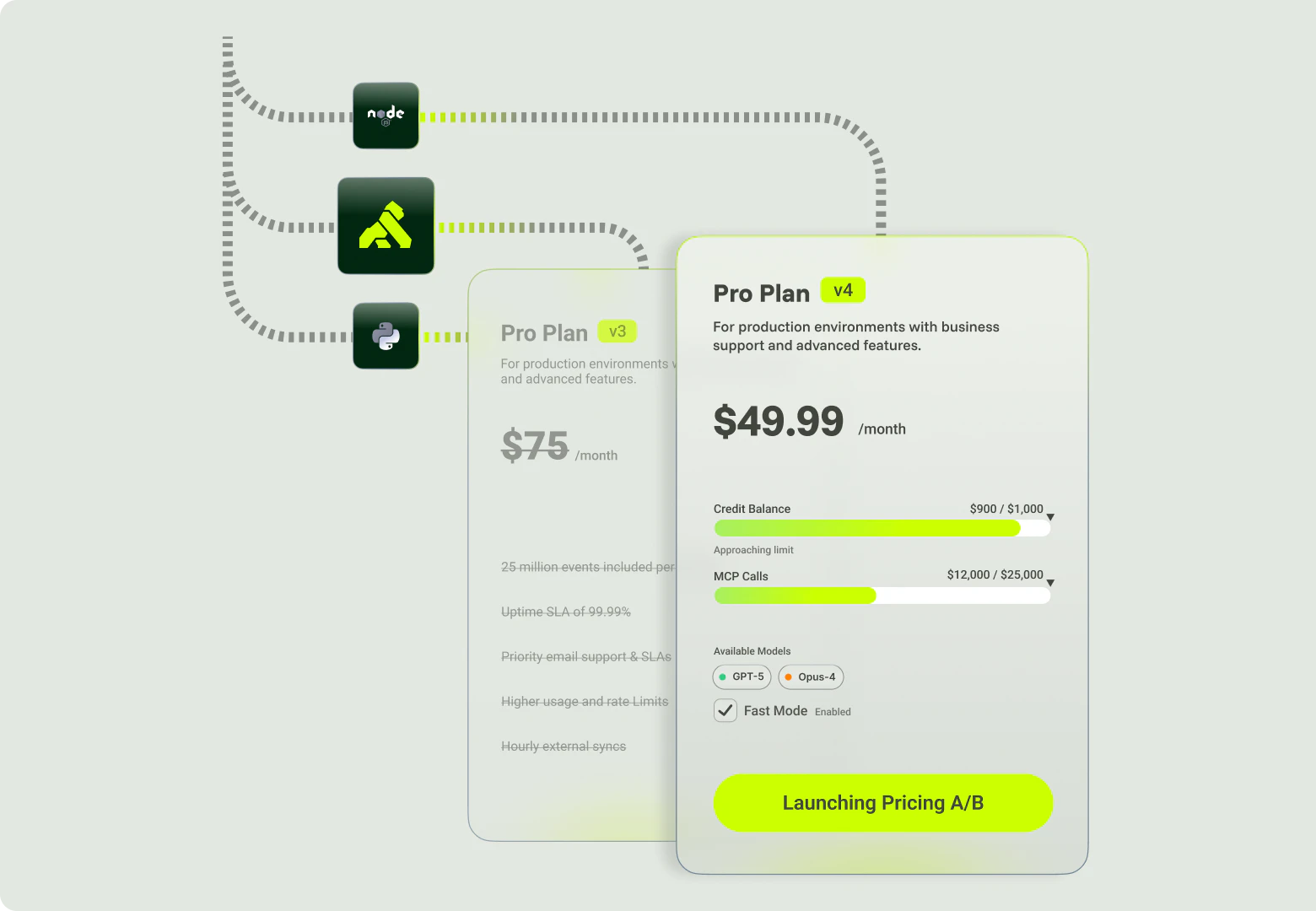
  • - **Meter and bill usage:** Kong's usage billing and metering supports per-consumer plans and quotas.
  • - **Charge back or monetize: **Attribute AI token spend internally, or monetize external API products on AWS.
  • - **Built on AWS billing: **Procure and transact through AWS Marketplace and your committed spend.
_05/ GOVERN_

## Govern the full data path centrally

  • - **One policy surface:** Apply the same policies across any cloud, including AWS, hybrid, and on-prem from one control plane.
  • - **Governed as code:** Federated management keeps guardrails automated and auditable. Platform teams set guardrails while app teams self-serve within them.
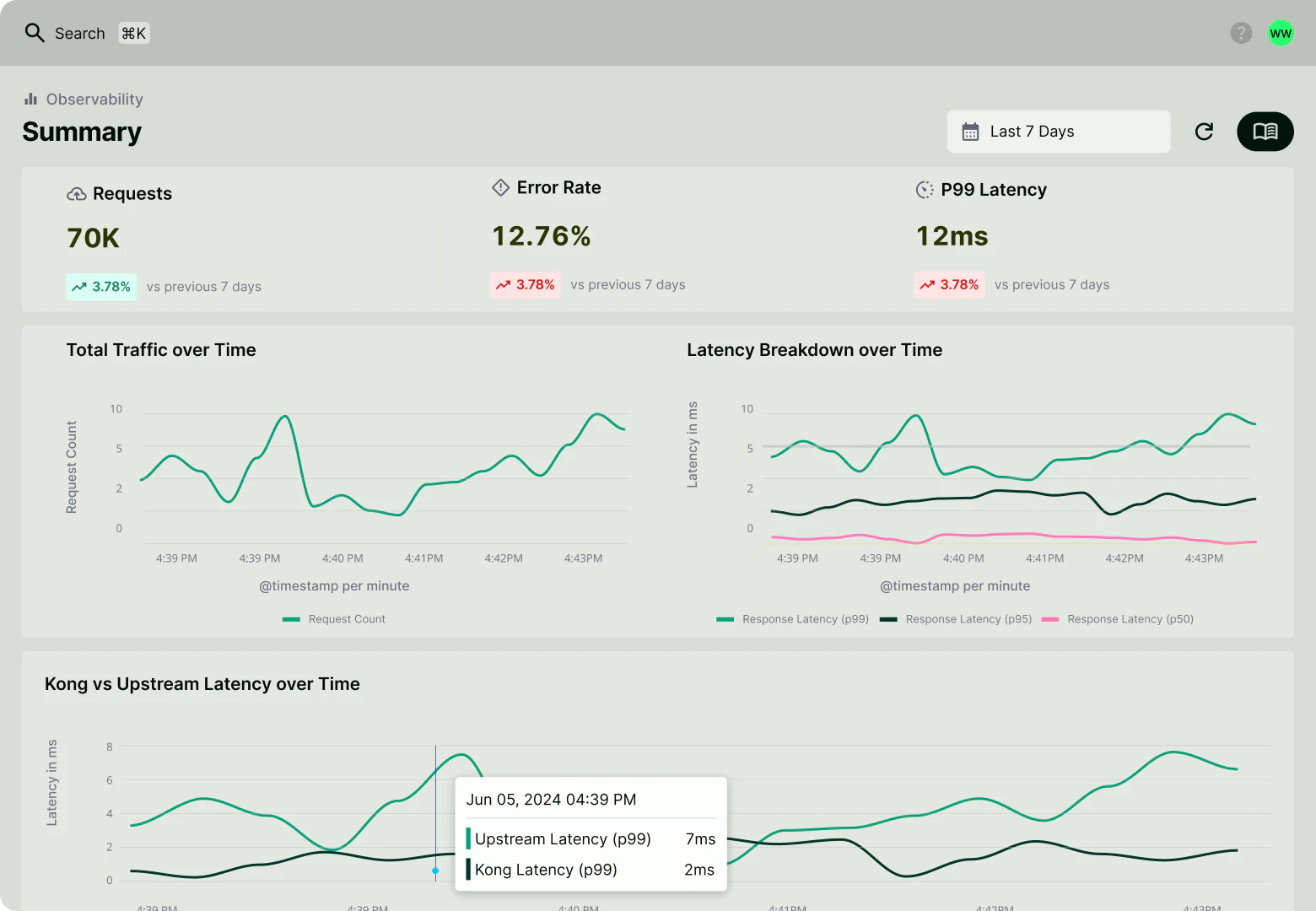
  • - **Observability that travels:** Unified observability exports to AWS and third-party tooling over OpenTelemetry.
_NATIVE AWS INTEGRATIONS_

## Connect AWS to Kong in minutes

From API discovery to private networking, Kong plugs into AWS at every layer your team already depends on.

## API Gateway

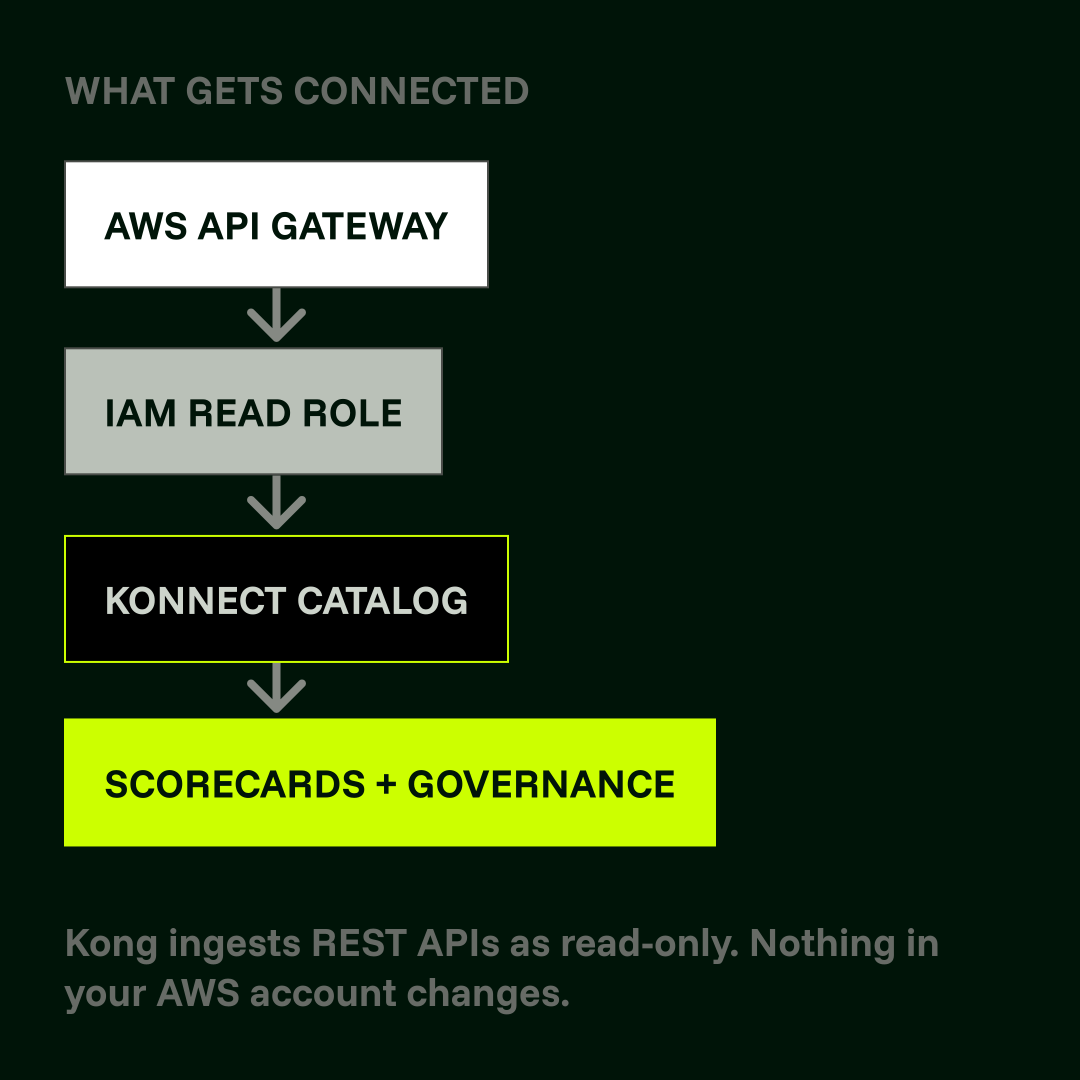
## Bring your AWS REST APIs into the Konnect Catalog

Kong reads your API Gateway and maps each REST API to a Catalog service automatically, where you can apply scorecards, routing rules, and developer portal publishing. No migration or redeployment needed. 

  1. - In AWS IAM, create a policy named konnect-catalog-permissions with apigateway:GET on arn:aws:apigateway:*
  2. - Create a role named konnect-catalog-integration, selecting Another AWS account. Enter Konnect's account ID and your Konnect organization ID as the External ID.
  3. - Attach the policy to the role and copy the ARN.
  4. - In Konnect: Catalog → Integrations → AWS API Gateway. Enter the IAM role ARN, display name, and AWS region, then click Save. Your APIs will appear in the Catalog automatically.

[Learn More](https://developer.konghq.com/catalog/integrations/aws-api-gateway/)Learn More

### Key insight

Once ingested, your AWS APIs appear alongside every other service in your Catalog. One inventory, one governance layer, regardless of where the API lives.

## Secrets Manager

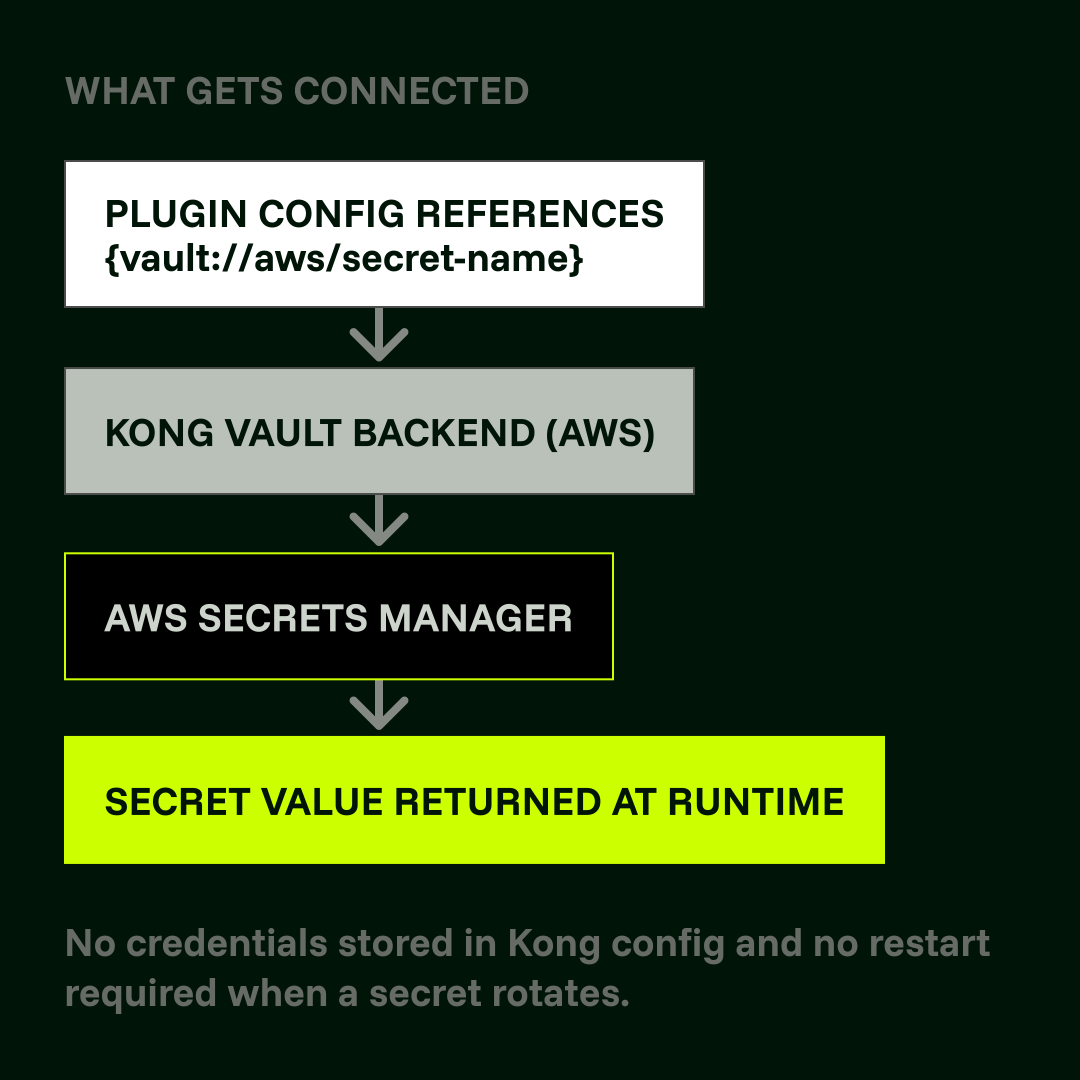
## Stop hardcoding credentials. Use AWS Secrets Manager as a vault backend.

Kong resolves secrets from AWS Secrets Manager at runtime. Your plugin configs reference a vault path and Kong handles the lookup. No credentials stored in YAML. No gateway restarts when a secret rotates. This applies to API keys, tokens, TLS certificates, and anything else you are currently pasting into config files.

  1. - Store your secrets in AWS Secrets Manager. Kong supports access via AWS Access Key ID, Secret Access Key, and optionally an AWS Session Token.
  2. - Configure the AWS vault backend in Kong with your region and IAM credentials.
  3. - Reference any secret in plugin config using the vault path syntax: {vault://aws/secret-name}.
  4. - Kong resolves the value live at request time. Nothing is stored in your Kong configuration.

[Learn More](https://developer.konghq.com/how-to/configure-aws-secrets-manager-as-a-vault-backend-with-vault-entity/)Learn More

### Key insight

Secrets are fetched fresh at runtime. Kong does not cache them in memory between requests. When a secret rotates in AWS, Kong picks up the new value automatically.

## PrivateLink

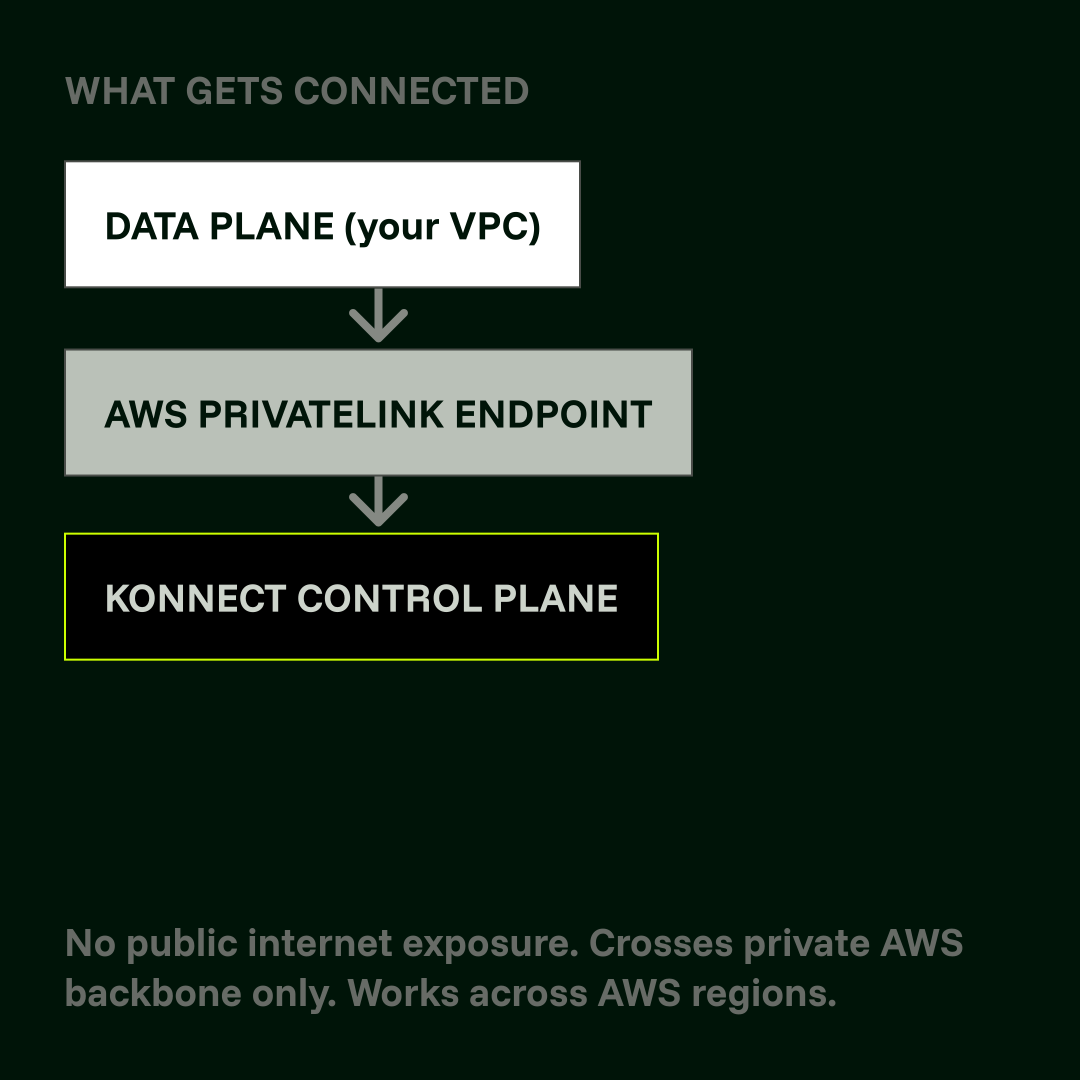
## Keep control plane traffic off the public internet.

AWS PrivateLink creates a private, dedicated connection between your VPC and Konnect's control plane. Your data plane stays in your AWS environment. Only the connection to Konnect crosses the private endpoint, with no public internet exposure, no VPC peering, and no route table changes. This is the standard choice for teams with compliance requirements that prohibit control plane traffic traversing the internet.

  1. - Navigate to VPC → Endpoints in the AWS Console. Select Create Endpoint and choose the Endpoint services category (Network Load Balancers and Gateway Load Balancers). Enter the Konnect PrivateLink service name for your AWS region and Konnect geo.
  2. - Select your VPC, subnets, and security group. Ensure the security group allows inbound TCP on port 443 and that private DNS is enabled. Create the endpoint and wait until its status shows as available (allow up to 10 minutes).
  3. - Update your data plane's control plane connection URL in kong.conf to use the private DNS name for your region.

[Learn More](https://developer.konghq.com/gateway/aws-private-link/)Learn More

### Key insight

Compliance-sensitive teams often need to demonstrate that control plane traffic never touches the public internet. PrivateLink closes that audit gap without requiring a self-hosted control plane.

## Workload Identities

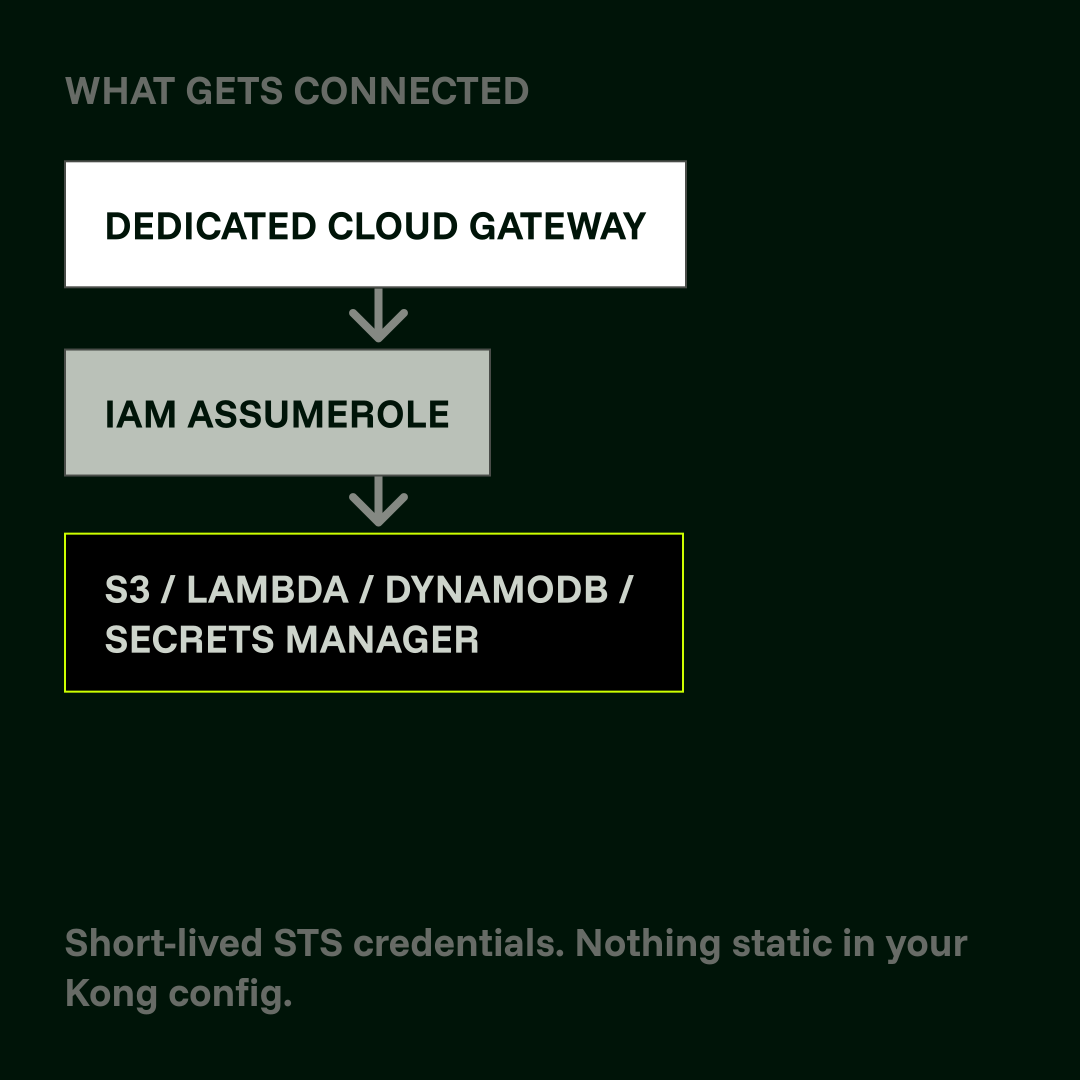
## Access AWS services without a single static credential.

Kong’s Dedicated Cloud Gateways support AWS workload identities via IAM AssumeRole. When you provision a Dedicated Cloud Gateway, Konnect automatically creates an IAM role in your AWS account. Your data plane uses that role to access S3, Secrets Manager, Lambda, DynamoDB, and other AWS services at runtime. Credentials are short-lived and rotate automatically. There are no access keys in your Kong configuration.

  1. - Provision a Dedicated Cloud Gateway. Konnect creates the IAM role in your AWS account automatically during provisioning.
  2. - Grant that role the AWS permissions your gateway needs, for example s3:GetObject or secretsmanager:GetSecretValue.
  3. - The gateway assumes the role at runtime using IAM AssumeRole. Credentials are short-lived and rotate automatically. No further configuration is required.

[Learn More](https://developer.konghq.com/dedicated-cloud-gateways/reference/)Learn More

### Key insight

Pairs well with the AWS Secrets Manager vault backend. Together they eliminate all static credentials from both your gateway configuration and your plugin configuration

## Resource Endpoints

## Route upstream traffic to AWS services without VPC peering.

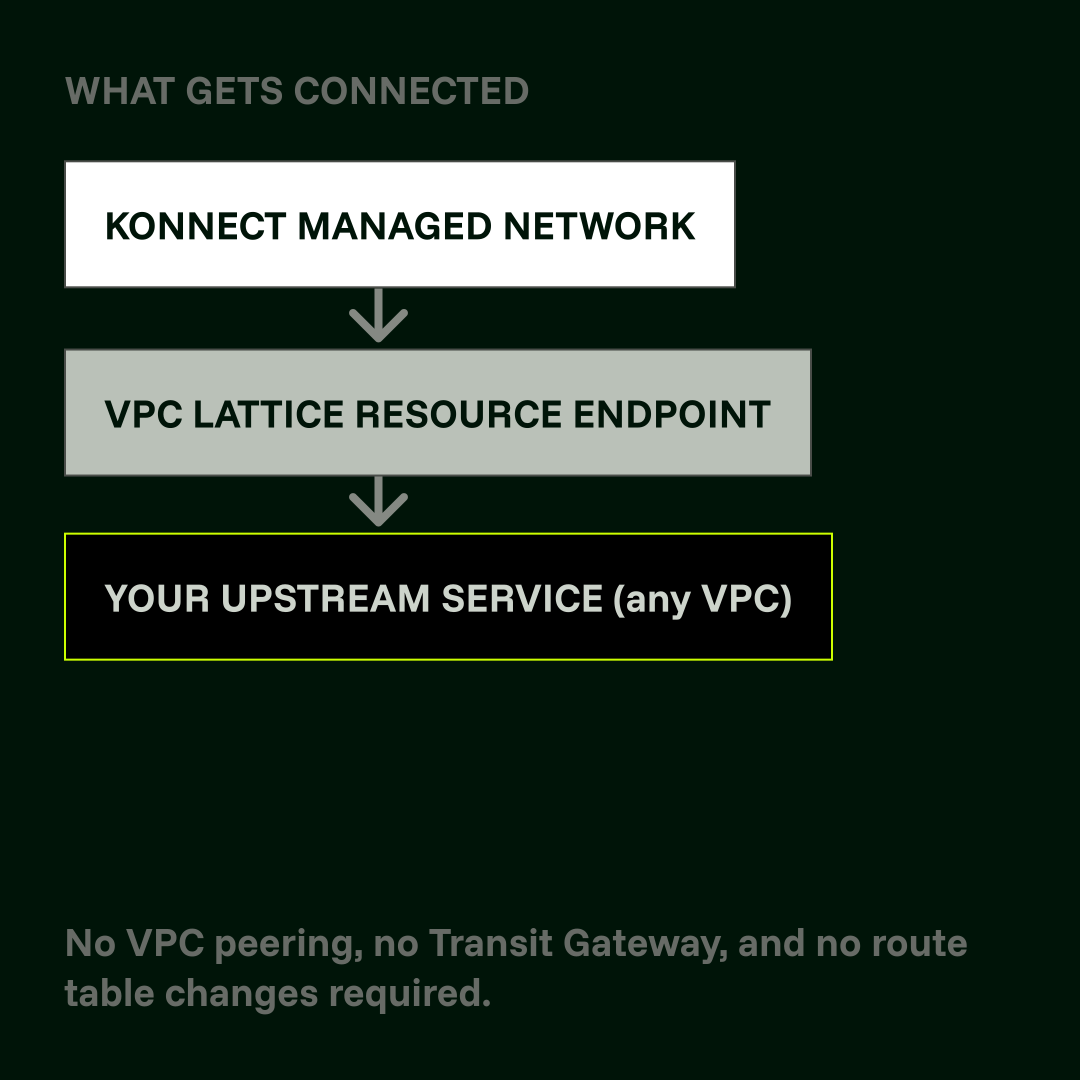
Dedicated Cloud Gateways support AWS VPC Lattice resource endpoints. This gives Kong's managed infrastructure a secure, one-way path to your upstream services across VPCs and AWS accounts. You get private connectivity without configuring VPC peering, AWS Transit Gateway attachments, or route table changes. Good for teams running services across multiple VPCs or accounts where direct peering would require too many routing or security approvals.

  1. - Configure your upstream service as an AWS VPC Lattice resource in your AWS account.
  2. - In Konnect, navigate to your Dedicated Cloud Gateway and add the Lattice resource endpoint as an upstream target.
  3. - Kong routes traffic from the Konnect-managed network to your service over the private Lattice endpoint.

[Learn More](https://developer.konghq.com/dedicated-cloud-gateways/)Learn More

### Key insight

VPC Lattice resource endpoints provide one-way connectivity from Konnect's managed infrastructure to your services. No changes are required on the service side beyond registering it with Lattice.

## How Customers Modernize Faster with Kong on AWS

_TRUSTED BY_

## Dedicated expert builders from AWS and Kong

With Kong, you get unmatched API expertise certified on AWS products.

  • - **Amazon EKS Ready**
  • - **AWS Lambda Ready**
  • - **Amazon Linux Ready**
  • - **AWS Graviton Ready**
  • - **AI Software Competency**
  • - **DevOps Software Competency**

## Related Resources