[APIOps](https://konghq.com/blog/apiops-devops-and-gitops-applied-to-api-lifecycle-end-to-end-automation-throughout-the-api-lifecycle)APIOps is the complete end-to-end automation of the API lifecycle, combining DevOps and GitOps. With APIOps, you can enhance your productivity through the reuse of APIs.
In this tutorial, we'll walk you through how to:
## **How Does decK Work?**
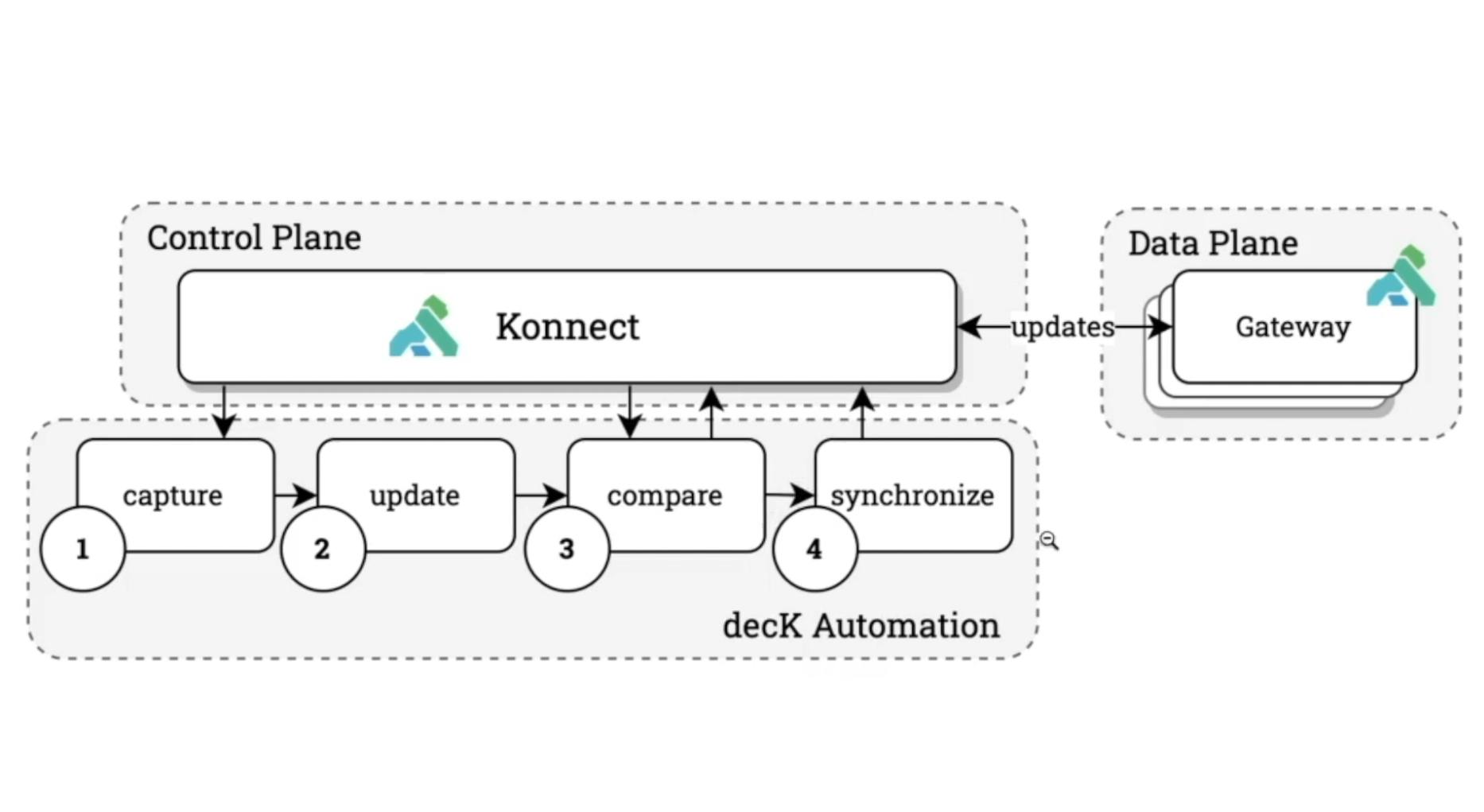
As you can see in the below diagram, decK follows four discrete steps.
- - **Capture** the snapshot of our Konnect configuration with the deck konnect dump command.
- - **Update** the state file that gets persisted with the changes we want to make. That could be creating a new service, updating a plugin configuration or anything that lives within the Konnect interface.
- - **Compare** what we have locally versus what’s inside of Konnect with the deck konnect diff command to ensure that the configurations have not drifted unexpectedly.
- - **Synchronize** the changes back into the control plane and push those changes to the data planes (the [API gateways](https://konghq.com/blog/learning-center/what-is-an-api-gateway)API gateways) with the deck konnect sync command.
## **Why Should I Use decK?**
The goal of decK is to tie the simple building blocks of capture, update, compare and synchronize into your automation pipeline. You can then include these in your existing source control and automation tooling in a machine-readable, easy-to-use format. That way, you'll keep everything within the current change management and governance processes that you already have in place.
Before following the steps below, make sure you [have installed decK](https://docs.konghq.com/deck/installation)have installed decK.
## **decK Example #1: Change a Plugin Configuration**
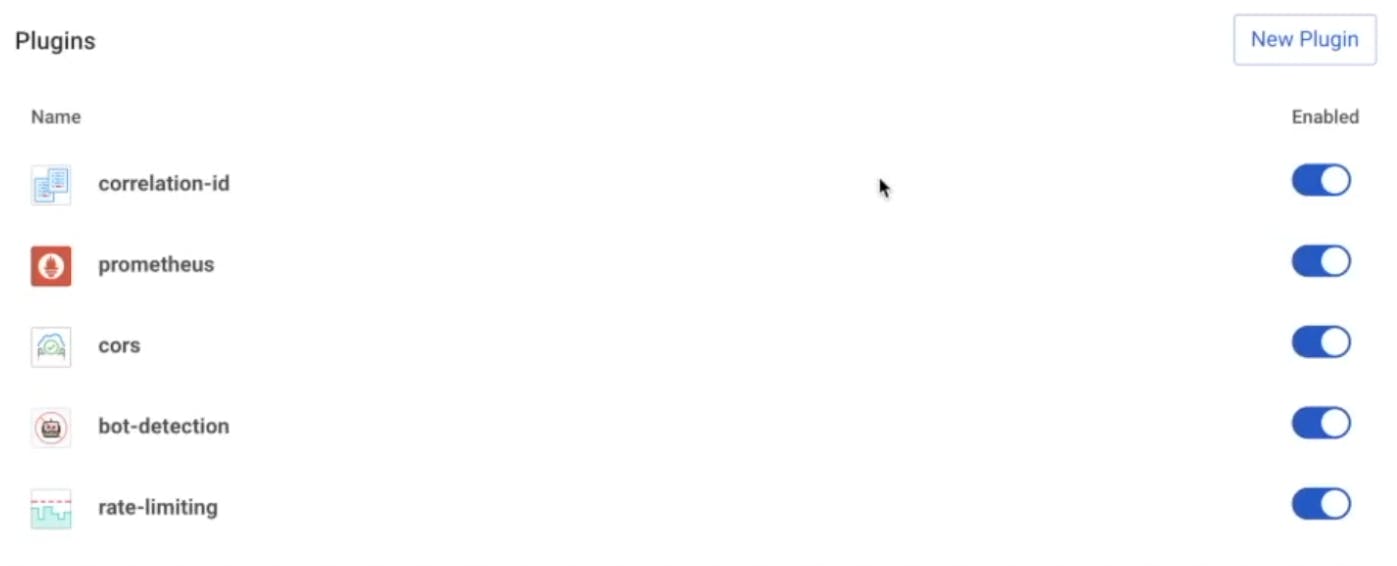
For a quick example of how you can tie the four steps of decK automation together, let's disable one of our [Kong plugins](https://docs.konghq.com/hub)Kong plugins in Konnect.
### ***1. Capture***
To capture the current state of our Konnect configuration, run the deck konnect dump command from the terminal or CLI. By default, the system will store the output in YAML format under a konnect.yaml file in your current working directory.
### ***2. Update***
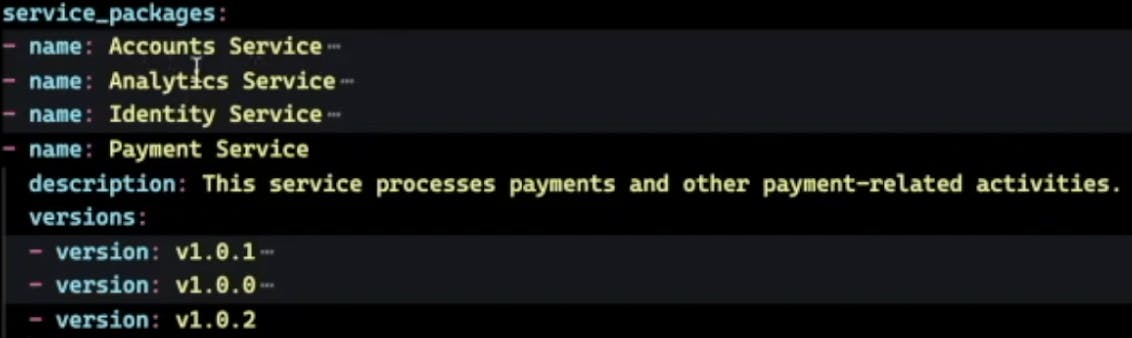
Open the konnect.yaml file using a text editor of your choice. Once done, we can see the state that we have persisted inside of the Konnect control plane. Using our example environment, you can see several versions and plugins for the Payment Service.
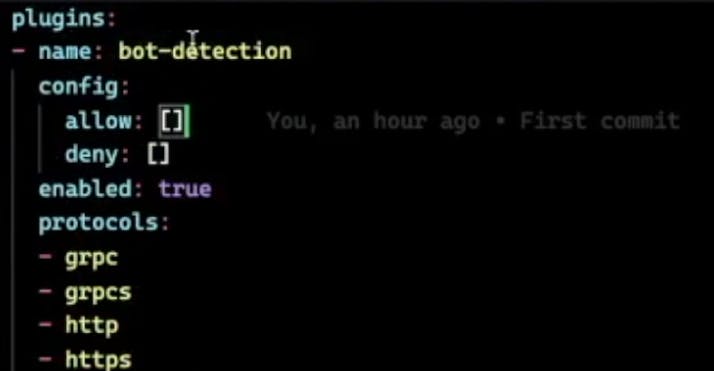
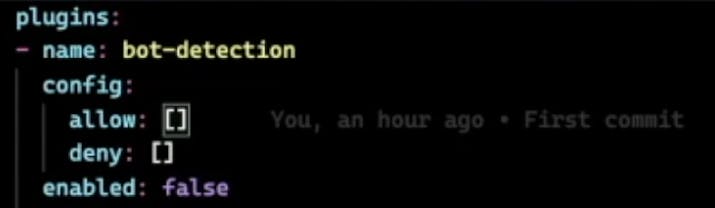
Let’s say we want to disable the [Bot Detection plugin](https://docs.konghq.com/hub/kong-inc/bot-detection)Bot Detection plugin. Under any plugin, you can find an enabled toggle, which we’ll simply set to false. Save the file.
### ***3. Compare***
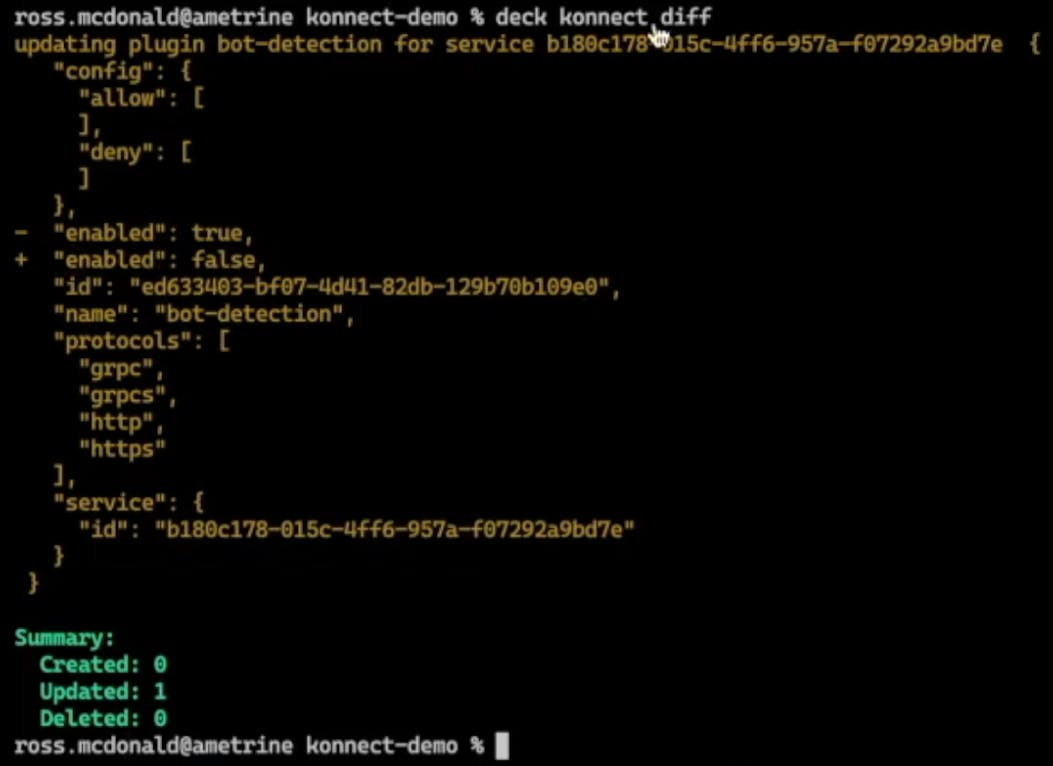
Let’s compare those changes with what’s currently living in Konnect to ensure that the changes we're making are the right ones. For that, we can run deck konnect diff.
Here we can see that we’ve detected one change. Enabled has changed from true to false. We have one updated artifact, which is what we wanted. Now that we've verified the changes, let's update the control plane.
### ***4. Synchronize***
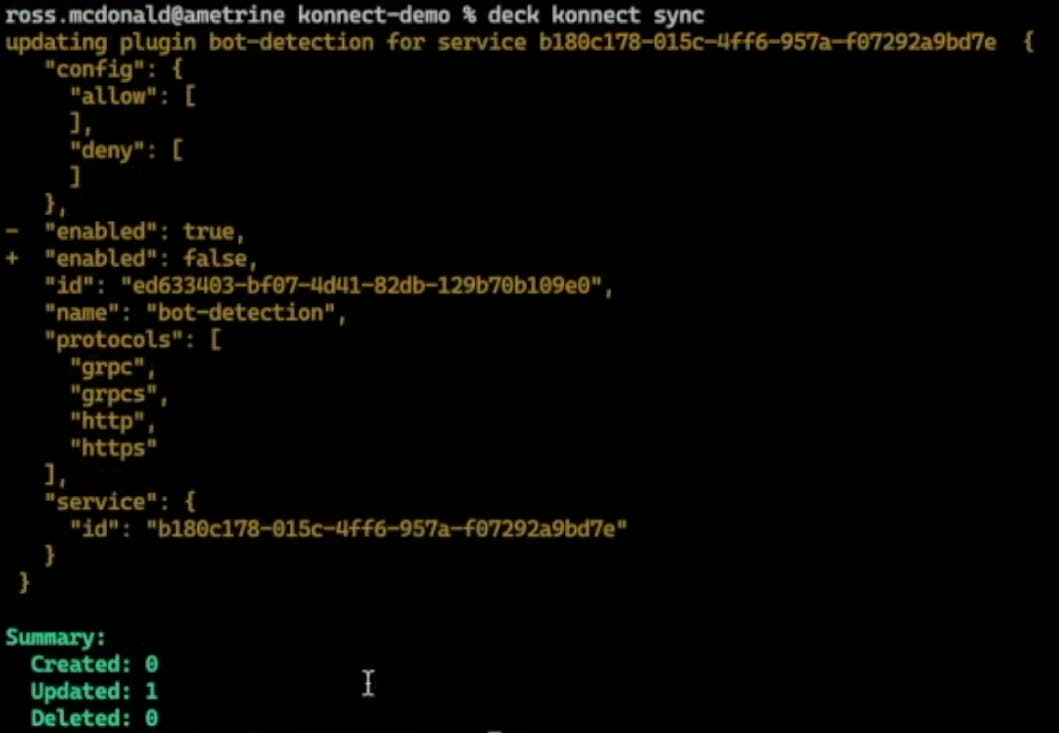
To synchronize our changes, we’re going to run deck konnect sync.
The change has persisted.
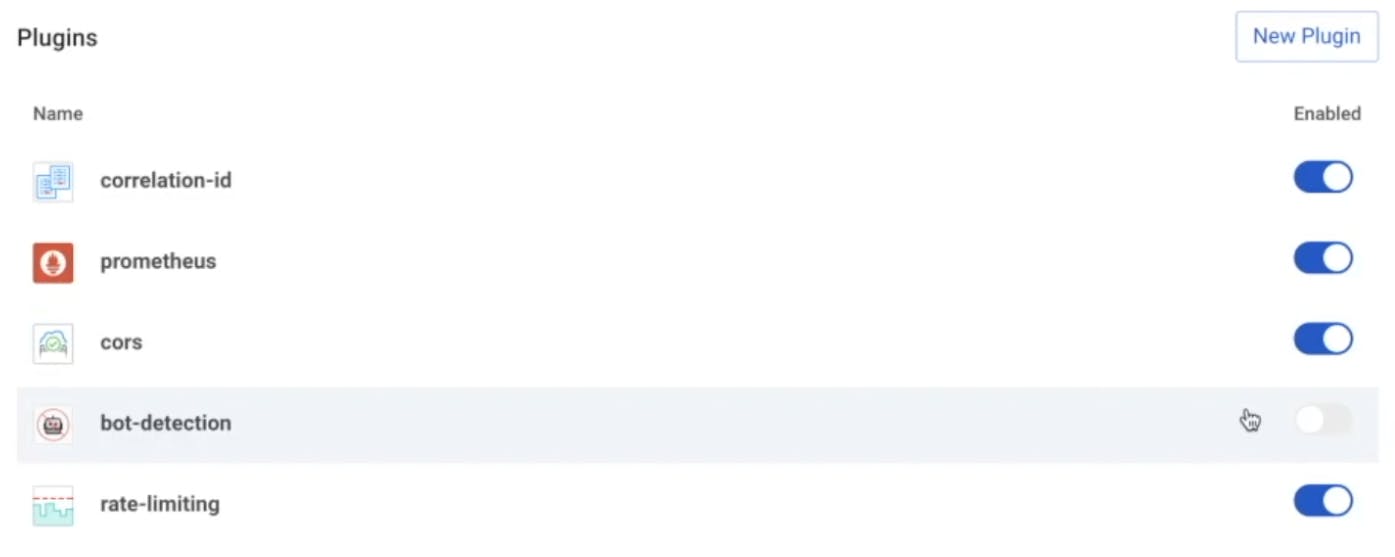
Now, if we refresh the screen in the Konnect interface and go down to our plugins, the Bot Detection plugin is disabled.
## **decK Example #2: Pushing Policy Updates to Kong Konnect**
For a more concrete example, I have a [GitHub repository](https://github.com/rossmcdonald/apiops-starter-kit)GitHub repository configured with GitHub Actions CI/CD functionality. We can use this for pushing policy updates to Konnect.
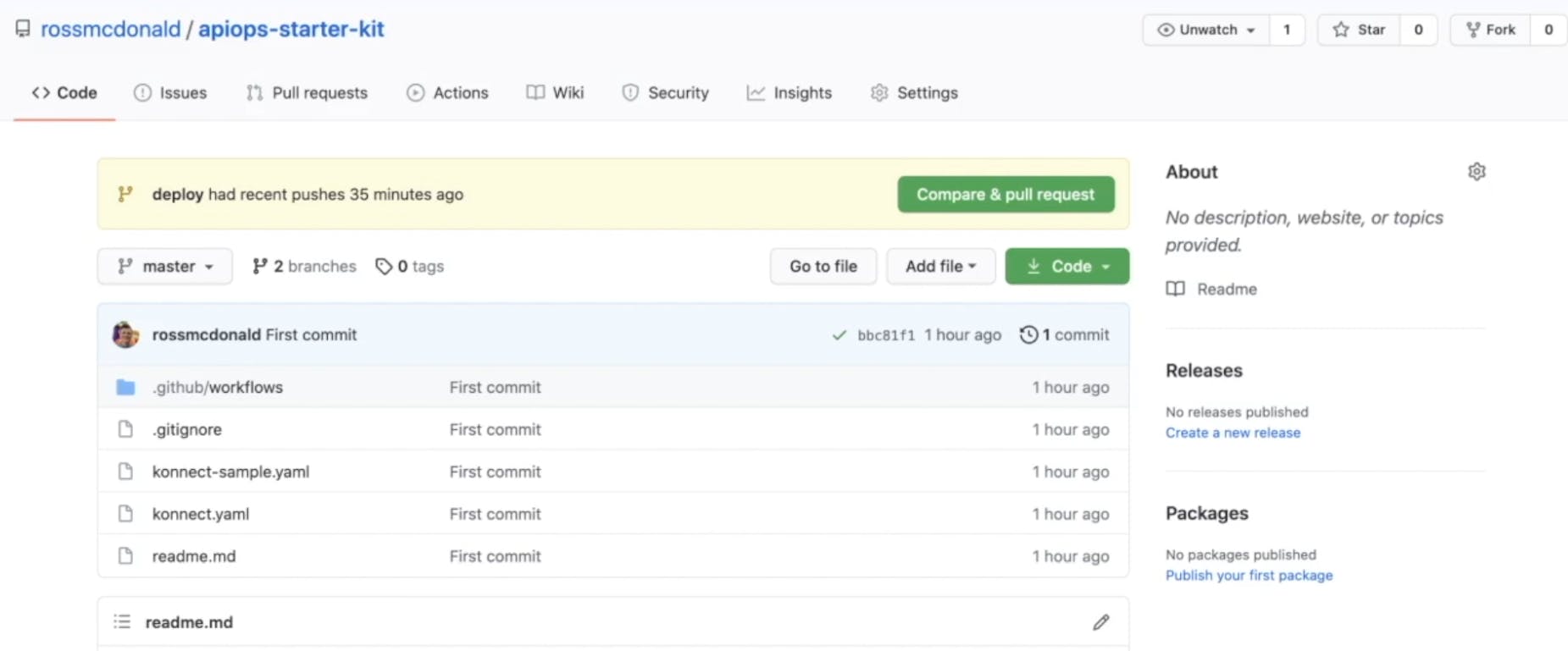
Imagine I’m a stakeholder for the payments API service currently deployed. After speaking with our operations team, it turns out the backend service is struggling to keep up with the current request load. They’ve asked that I lower the rate limit to ensure the stability of the backend service. Easy enough.
### ***1. Capture***
In Visual Studio Code, we can see the state file from Konnect. The Payment Service is there.
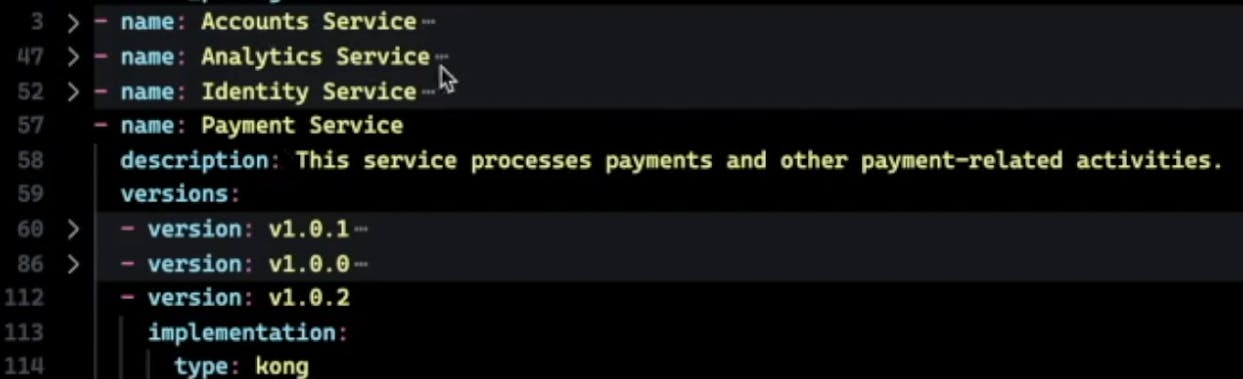
Here’s the [Rate Limiting plugin](https://docs.konghq.com/hub/kong-inc/rate-limiting)Rate Limiting plugin.

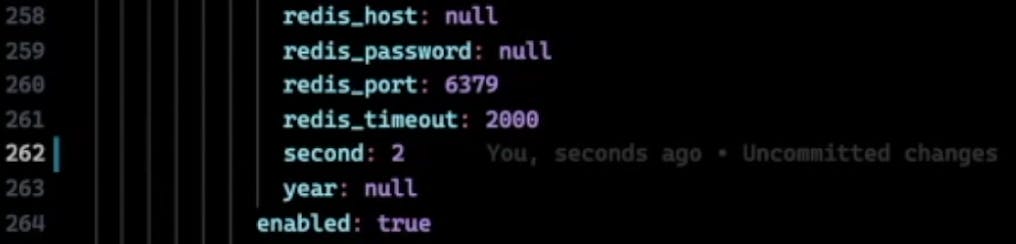
If we expand this, we can view and edit the configuration. It’s currently set to five per second.

### ***2. Update***
Let’s lower this to two per second.
### ***3. Compare***
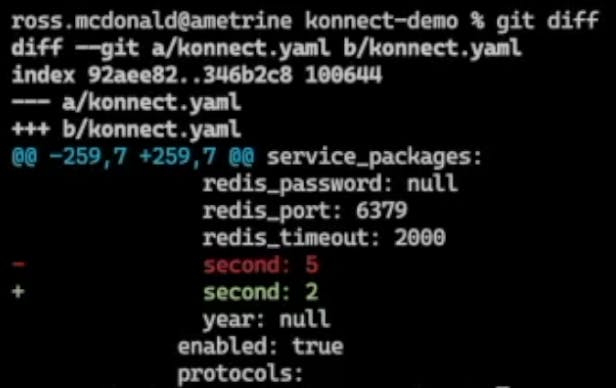
Then, we'll run git diff to compare. We’ve just made a change from five to two.
### ***4. Synchronize***
As part of my repository settings, we can’t push to the deploy branch specifically, so we’ll have to create a pull request. Run git checkout -b chore/reduce-rate-limit.
Add the changes with git add –all.
Commit them with git commit -m "Reducing rate limit".
Then, push them to GitHub with git push origin chore/reduce-rate-limit.
With our changes pushed, we can open a pull request. But before we do that, let's take a quick look at the GitHub workflow that we defined. We’re using a self-hosted runner. And we're running a deck konnect sync—so a very easy and straightforward pipeline for updating the changes.
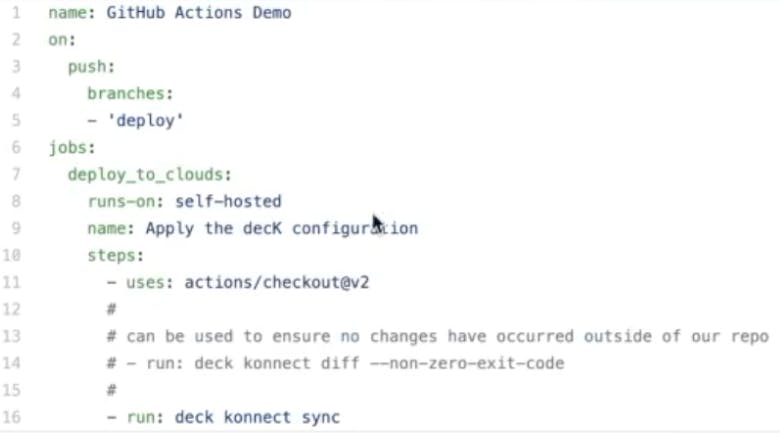
We could also include drift detection inside the pipeline to ensure that no changes occurred since we last persisted our state file (for example, another developer didn't make a similar but conflicting change). For this example, we’re going to apply the change via pull request.
Let's deploy our chore/reduce-rate-limit branch.

Let's create the pull request. In this case, we could have enforced reviewers and different checks. However, since that’s just a testing repository, go ahead and merge.
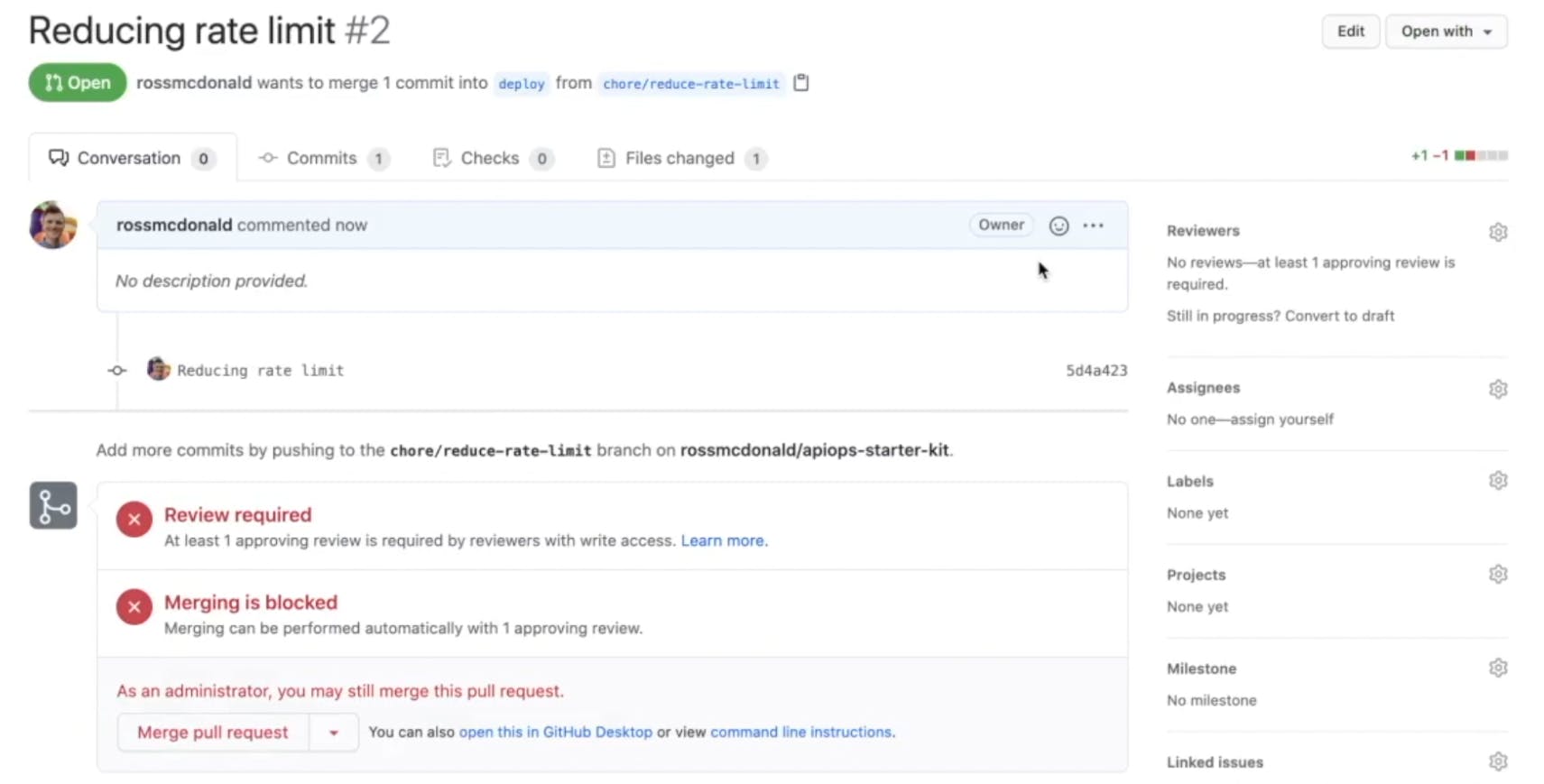
In the background, our runner is automatically running a series of steps. In this case, just applying that decK configuration.
If we jump to the Konnect interface, we can see the rate limit has now been reduced to two per second, just like we asked.
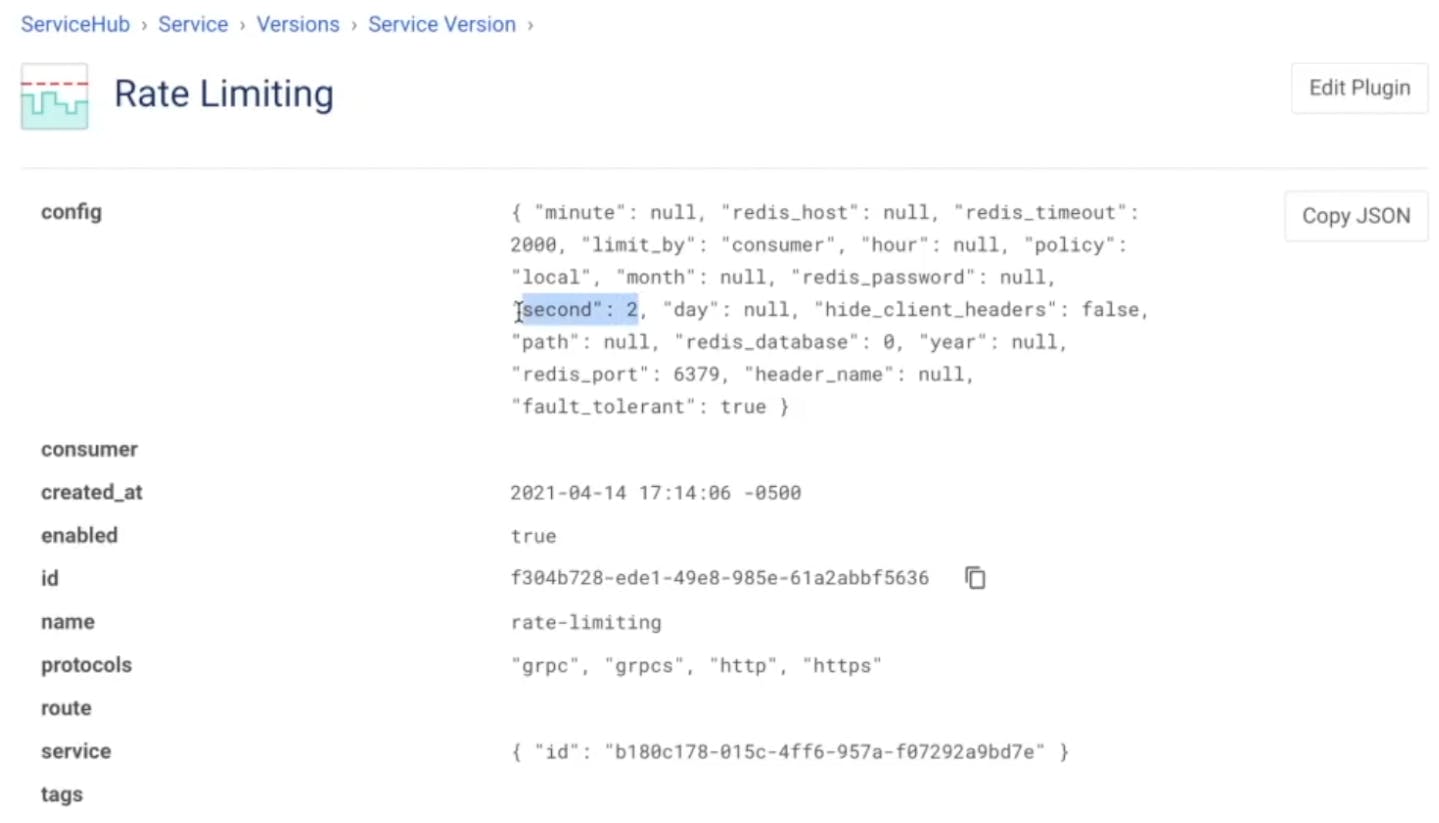
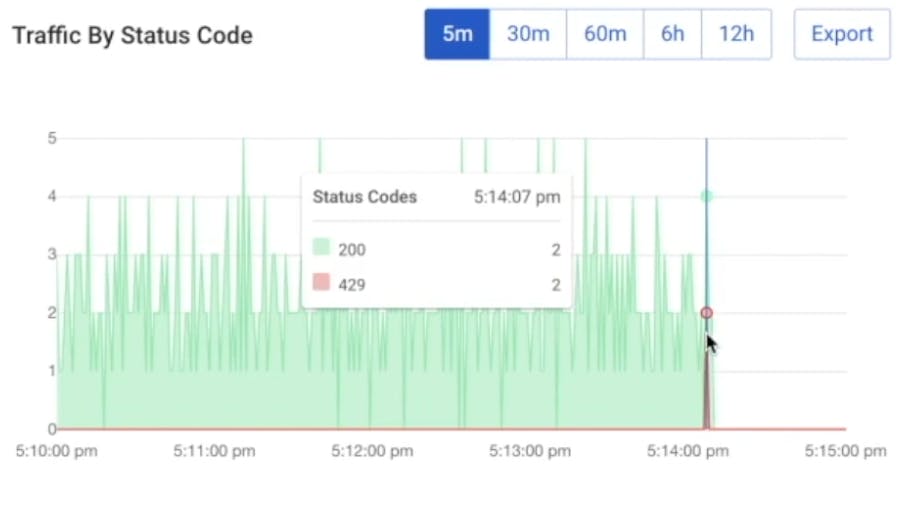
Back in our service version, we should start to see that the change has been taking effect. Clients should begin seeing 429 errors.
## **Conclusion**
Kongrats! Now you're ready to get your code to market faster, reuse services more often and be more productive so you can spend more time doing the things you love. No more wasted time waiting for manual API reviews!
You're ready to leverage the decK CLI tool to declaratively capture, compare and apply updates to your Konnect configuration. Doing so could tie back into your CI/CD framework for performing end-to-end updates while keeping your configuration within a source code repository.
That way, you'll be able to leverage your existing change control processes already in place and deliver policy updates and other configuration changes, just like you deliver code. The result will be improved governance, consistency and stability without any hassle.
[Start a free trial](https://konghq.com/kong-konnect)Start a free trial or [contact us](https://support.konghq.com/support/s/?_ga=2.220853277.461335063.1619442427-852472749.1605808164)contact us if you have any questions as you're getting set up.
Once you've successfully set up APIOps with Konnect decK, you may find these other tutorials helpful: