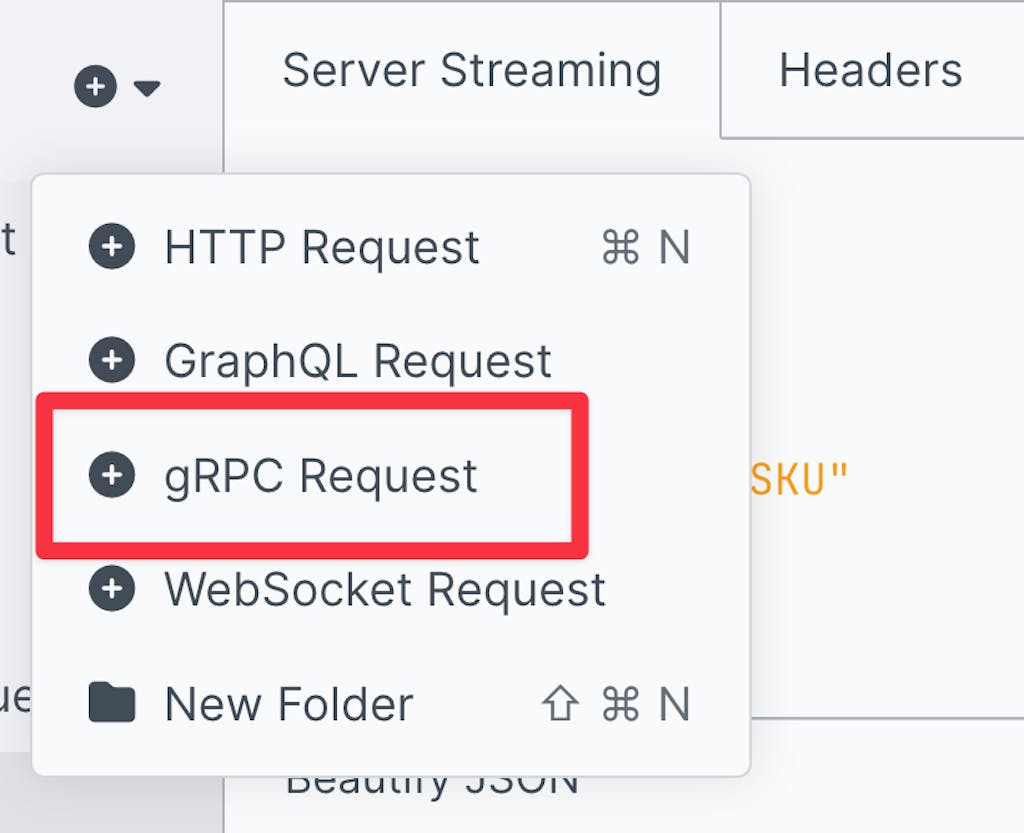
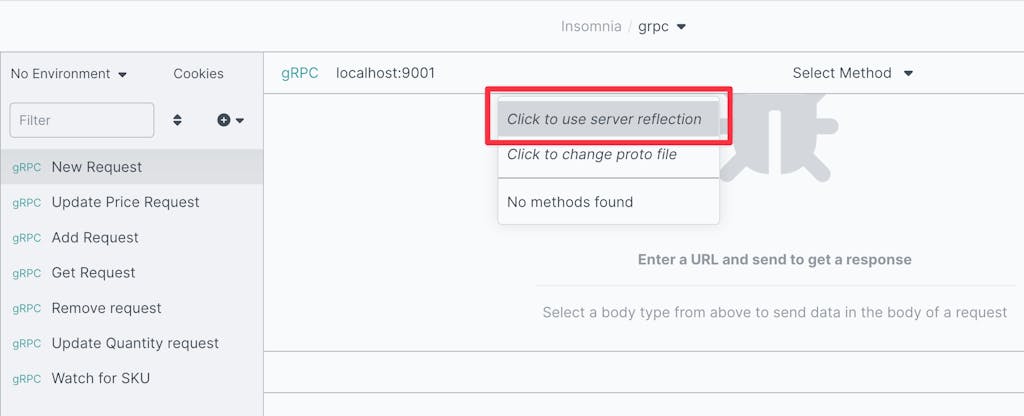
RPC APIs can be a great alternative to "REST-like" APIs and operate as a set of [functions/subroutines](https://wikipedia.org/wiki/Function_(computer_programming))functions/subroutines which can be called over a network. RPC APIs are often more lightweight and performant than HTTP APIs, but can also be a little more burdensome to set up initially. The [gRPC](https://grpc.io)gRPC project was introduced to improve the set-up and tooling experience for creating and maintaining RPC APIs, providing a "batteries included" experience.
Note: This demo expects some familiarity with Rust, though all the code is provided so in theory this could be helpful for newcomers. If you're brand new to Rust however, we would recommend checking out the excellent official [Learn Rust](https://www.rust-lang.org/learn)Learn Rust documentation before continuing, in order to get your bearings.
Note: Tonic requires Rust v1.60.x+. This demo was originally written using v1.65.0, so if you run into trouble with other releases, you might consider giving that specific version a try.
Choose a directory where you'll be adding code, and generate a new crate for the code with:
$ cargo new --bin demo
Next we'll define protobuf files which will generate client code for us.
Step 2: Service Definition Protobuf
For this demo we'll be creating a service which is responsible for keeping track of the inventory of a grocery store, with the ability to view and create items as well as the ability to watch for changes in inventory (so that we can try a streaming call as well as non-streaming calls).
The above defines which version of protocol buffers we'll be using, and the package name. Next we'll add our service:
## proto
service Inventory {
    // Add inserts a new Item into the inventory.
    rpc Add(Item) returns (InventoryChangeResponse);

    // Remove removes Items from the inventory.
    rpc Remove(ItemIdentifier) returns (InventoryChangeResponse);

    // Get retrieves Item information.
    rpc Get(ItemIdentifier) returns (Item);

    // UpdateQuantity increases or decreases the stock quantity of an Item.
    rpc UpdateQuantity(QuantityChangeRequest) returns (InventoryUpdateResponse);

    // UpdatePrice increases or decreases the price of an Item.
    rpc UpdatePrice(PriceChangeRequest) returns (InventoryUpdateResponse);

    // Watch streams Item updates from the inventory.
    rpc Watch(ItemIdentifier) returns (stream Item);
}
This service provides that calls we can use for a basic level of control over our store's inventory, including creating and removing items, updating their stock quantity/price and viewing or streaming item information. Next we'll create the messages which are the types needed for these calls:
Once the dependencies are updated, we'll need to add build tooling that will hook the cargo build step to compile our .proto file during every build. We can do that by creating build.rs:
## rust
usestd::env;usestd::path::PathBuf;fnmain()->Result<(),Box<dynstd::error::Error>>{let proto_file ="./proto/store.proto";let out_dir =PathBuf::from(env::var("OUT_DIR").unwrap());tonic_build::configure().protoc_arg("--experimental_allow_proto3_optional")// for older systems.build_client(true).build_server(true).file_descriptor_set_path(out_dir.join("store_descriptor.bin")).out_dir("./src").compile(&[proto_file],&["proto"])?;Ok(())}
Note: the --experimental_allow_proto3_optional argument isn't strictly necessary on newer systems with protoc version 3.21.x+, but it won't hurt anything either. This is particularly helpful for users of Ubuntu LTS or other systems where the packaged protoc is significantly older.
We've indicated that we want both client and server built, and the output directory for the generated code should be the src/ directory. Now we should be able to run:
## console
$ cargo build
There should now be a src/store.rs created for us with our client and server code conveniently generated.
Step 4: Implementing the Server
Now that we've generated the code for our service, we'll need to add our implementation of the server methods for the client to call.
Start by creating a new src/server.rs file and we'll begin with the imports we'll need:
We'll also provide some helpful error messages for a variety of failure conditions which our API can reach related to inventory management:
## rust
constBAD_PRICE_ERR:&str="provided PRICE was invalid";constDUP_PRICE_ERR:&str="item is already at this price";constDUP_ITEM_ERR:&str="item already exists in inventory";constEMPTY_QUANT_ERR:&str="invalid quantity of 0 provided";constEMPTY_SKU_ERR:&str="provided SKU was empty";constNO_ID_ERR:&str="no ID or SKU provided for item";constNO_ITEM_ERR:&str="the item requested was not found";constNO_STOCK_ERR:&str="no stock provided for item";constUNSUFF_INV_ERR:&str="not enough inventory for quantity change";
Next up we're going to implement the Inventory trait which was generated for us from the proto/store.proto file in the last step. For each of the methods we added to our Inventory service, we'll write our own implementation.
We'll create a StoreInventory object to implement our inventory service:
Our StoreInventory will have an inventory field which contains a threadsafe hashmap, which will be the in-memory storage for our inventory system. We implement the Default trait for convenience, and then we provide the impl Inventory block. Now we can start adding our method implementations for add, remove, update_price and so forth, so the following code blocks should be placed nested inside that impl Inventory for StoreInventory block.
Let's start with adding the add method:
## rust
asyncfnadd(&self, request:Request<Item>,)->Result<Response<InventoryChangeResponse>,Status>{let item = request.into_inner();// validate SKU, verify that it's present and not emptylet sku =match item.identifier.as_ref(){Some(id)if id.sku ==""=>returnErr(Status::invalid_argument(EMPTY_SKU_ERR)),Some(id)=> id.sku.to_owned(),None=>returnErr(Status::invalid_argument(NO_ID_ERR)),};// validate stock, verify its present and price is not negative or $0.00match item.stock.as_ref(){Some(stock)if stock.price <=0.00=>{returnErr(Status::invalid_argument(BAD_PRICE_ERR))}Some(_)=>{}None=>returnErr(Status::invalid_argument(NO_STOCK_ERR)),};// if the item is already present don't allow the duplicateletmut map =self.inventory.lock().await;ifletSome(_)= map.get(&sku){returnErr(Status::already_exists(DUP_ITEM_ERR));}// add the item to the inventory map.insert(sku.into(), item);Ok(Response::new(InventoryChangeResponse{ status:"success".into(),}))}
In the above you will find that a Request<Item> is provided (from our client when called) which includes the entire item that we need to store in the inventory. Some validation is performed to ensure data-integrity, we lock the Mutex on our HashMap to ensure thread safety and integrity and then ultimately the item is stored by SKU into the HashMap.
We'll add the remove counterpart as well, which is more simple:
Note: this method returns success for removal of items that didn't exist, but informs the user of that circumstance.
Now that items can be added and removed, they also need to be retrieveable, let's add our get implementation:
## rust
asyncfnget(&self, request:Request<ItemIdentifier>)->Result<Response<Item>,Status>{let identifier = request.into_inner();// don't allow empty SKUif identifier.sku ==""{returnErr(Status::invalid_argument(EMPTY_SKU_ERR));}// retrieve the item if it existslet map =self.inventory.lock().await;let item =match map.get(&identifier.sku){Some(item)=> item,None=>returnErr(Status::not_found(NO_ITEM_ERR)),};Ok(Response::new(item.clone()))}
The get implementation is small and simple, validating input and returning the inventory Item if present.
We can add and retrieve, but we also need to be able to update in place. Let's add our update_quantity implementation:
## rust
asyncfnupdate_quantity(&self, request:Request<QuantityChangeRequest>,)->Result<Response<InventoryUpdateResponse>,Status>{let change = request.into_inner();// don't allow empty SKUif change.sku ==""{returnErr(Status::invalid_argument(EMPTY_SKU_ERR));}// quantity changes with no actual change don't make sense, inform userif change.change ==0{returnErr(Status::invalid_argument(EMPTY_QUANT_ERR));}// retrieve the current inventory item dataletmut map =self.inventory.lock().await;let item =match map.get_mut(&change.sku){Some(item)=> item,None=>returnErr(Status::not_found(NO_ITEM_ERR)),};// retrieve the stock mutable so we can update the quantityletmut stock =match item.stock.borrow_mut(){Some(stock)=> stock,None=>returnErr(Status::internal(NO_STOCK_ERR)),};// validate and then handle the quantity change stock.quantity =match change.change {// handle negative numbers as stock reduction change if change <0=>{if change.abs()asu32> stock.quantity {returnErr(Status::resource_exhausted(UNSUFF_INV_ERR));} stock.quantity - change.abs()asu32}// handle positive numbers as stock increases change => stock.quantity + change asu32,};Ok(Response::new(InventoryUpdateResponse{ status:"success".into(), price: stock.price, quantity: stock.quantity,}))}
Again we provide some validation, and enable the two ways the caller can update the quantity: positive or negative changes. Ultimately the validated change is updated in place in memory for subsequent calls.
The update_price method will be similar:
## rust
asyncfnupdate_price(&self, request:Request<PriceChangeRequest>,)->Result<Response<InventoryUpdateResponse>,Status>{let change = request.into_inner();// don't allow empty SKUif change.sku ==""{returnErr(Status::invalid_argument(EMPTY_SKU_ERR));}// $0.00 disallowed and negatives don't make sense, inform the userif change.price <=0.0{returnErr(Status::invalid_argument(BAD_PRICE_ERR));}// retrieve the current inventory item dataletmut map =self.inventory.lock().await;let item =match map.get_mut(&change.sku){Some(item)=> item,None=>returnErr(Status::not_found(NO_ITEM_ERR)),};// retrieve the stock mutable so we can update the quantityletmut stock =match item.stock.borrow_mut(){Some(stock)=> stock,None=>returnErr(Status::internal(NO_STOCK_ERR)),};// let the client know if they requested to change the price to the// price that is already currently setif stock.price == change.price {returnErr(Status::invalid_argument(DUP_PRICE_ERR));}// update the item unit price stock.price = change.price;Ok(Response::new(InventoryUpdateResponse{ status:"success".into(), price: stock.price, quantity: stock.quantity,}))}
The main differences in update_price from update_quantity are the validation rules about price: $0.00 priced items are not allowed, and we guard against negative prices.
Our streams will consist of a Result<Item, Status> where each update the client receives will either contain a new copy of the Item which has changed, or a Status indicating any problems that were encountered (and corresponding with the error messages we placed in constants in a previous step).
With that we can define our watch implementation:
## rust
asyncfnwatch(&self, request:Request<ItemIdentifier>,)->Result<Response<Self::WatchStream>,Status>{// retrieve the relevant item and get a baselinelet id = request.into_inner();letmut item =self.get(Request::new(id.clone())).await?.into_inner();// the channel will be our stream back to the client, we'll send copies// of the requested item any time we notice a change to it in the// inventory.let(tx, rx)=mpsc::unbounded_channel();// we'll loop and poll new copies of the item until either the client// closes the connection, or an error occurs.let inventory =self.inventory.clone();tokio::spawn(asyncmove{loop{// it's somewhat basic, but for this demo we'll just check the// item every second for any changes.tokio::time::sleep(std::time::Duration::from_secs(1)).await;// pull a fresh copy of the item in the inventorylet map = inventory.lock().await;let item_refresh =match map.get(&id.sku){Some(item)=> item,// the item has been removed from the inventory. Let the// client know, and stop the stream.None=>{ifletErr(err)= tx.send(Err(Status::not_found(NO_ITEM_ERR))){println!("ERROR: failed to update stream client: {:?}", err);}return;}};// check to see if the item has changed since we last saw it,// and if it has inform the client via the stream.if item_refresh !=&item {ifletErr(err)= tx.send(Ok(item_refresh.clone())){println!("ERROR: failed to update stream client: {:?}", err);return;}}// cache the most recent copy of the item item = item_refresh.clone()}});let stream =UnboundedReceiverStream::new(rx);Ok(Response::new(Box::pin(stream)asSelf::WatchStream))}
Note: keep in mind that all code is just for demonstration purposes, you would not necessarily want to, for instance, use unbounded channels in your production applications.
The comments throughout should hopefully provide a good walkthrough of how everything works, but these are the high level steps:
validate the input
create a Channel which we will stream Item data into
use tokio::spawn to spawn a new asynchronous task in the background which
will continue to update our client with changes to the subscribed Item
until the client closes the connection, or an error occurs
send the rx portion of the Channel back wrapped as our WatchStream
type we defined in the previous step
With that we can add, remove, get, update and watch items in our inventory! We need a mechanism to start this server we just created, so let's add that to our src/main.rs, making the file look like this:
Note: Feel free to experiment with other methods of Inventory service on your own.
Step 5: Implementing the Client
The server should be is up and running (if not, start it with cargo run --release --bin server), now we need to be able to use the generated API client to view and manage our inventory. For this we will make a command-line tool which can be used to manage the inventory using the gRPC API.
We'll use [Clap](https://github.com/clap-rs/clap)Clap, which is a popular command-line toolkit for Rust and create our CLI. Create the file src/cli.rs and add the required imports:
So we've imported the Parser from Clap so we can construct our CLI using structs with Clap attributes and we've imported the InventoryClient and some of our other relevant types from our API, now let's add our commands:
The above instructs Clap to provide the entries in the Command enum as sub-commands so that we'll be able to run demo add, demo remove, and so forth. We'll need to add the options and the implementation for each of these, so let's get started with add:
## rust
#[derive(Debug, Parser)]structAddOptions{#[clap(long)] sku:String,#[clap(long)] price:f32,#[clap(default_value = "0", long)] quantity:u32,#[clap(long)] name:Option<String>,#[clap(long)] description:Option<String>,}asyncfnadd(opts:AddOptions)->Result<(),Box<dynstd::error::Error>>{letmut client =InventoryClient::connect("http://127.0.0.1:9001").await?;let id =ItemIdentifier{ sku: opts.sku };let stock =ItemStock{ price: opts.price, quantity: opts.quantity,};let info =ItemInformation{ name: opts.name, description: opts.description,};let item =Item{ identifier:Some(id), stock:Some(stock), information:Some(info),};let request =tonic::Request::new(item);let response = client.add(request).await?;assert_eq!(response.into_inner().status,"success");println!("success: item was added to the inventory.");Ok(())}
The AddOptions struct enables us to provide all the required data to add an item to the inventory, and includes helpful options like the ability to provide defaults and Options can be used for optional parameters. With this we'll be able to run things like demo add --sku 87A7669F --price 1.99 to add a new Item to the inventory.
Next up we'll handle remove, which is fairly brief:
Our watch command is surprisingly simple, given that the implementation on the server side was fairly involved, all we need to do is receive the Stream from the watch request on the server, and iterate through it with .next():
## rust
asyncfnwatch(opts:GetOptions)->Result<(),Box<dynstd::error::Error>>{letmut client =InventoryClient::connect("http://127.0.0.1:9001").await?;letmut stream = client
.watch(ItemIdentifier{ sku: opts.sku.clone(),}).await?.into_inner();println!("streaming changes to item {}", opts.sku);whileletSome(item)= stream.next().await{match item {Ok(item)=>println!("item was updated: {:?}", item),Err(err)=>{if err.code()==tonic::Code::NotFound{println!("watched item has been removed from the inventory.");break;}else{returnErr(err.into());}}};}println!("stream closed");Ok(())}
Also you'll see that we didn't bother making a specific option struct for watch as the previously created GetOptions type is perfectly sufficient.
With all our API methods covered, now we just need to tie it all together with Clap and add our main function:
We've accomplished what we set out to do, we have an API with a streaming endpoint, and a CLI which exercises it. If you want to play around with it more, Clap automatically generates --help information:
## console
$ ./cli --help
Usage: cli <COMMAND>

Commands:
  add
  remove
  get
  update-quantity
  update-price
  watch
  help             Print this message or the help of the given subcommand(s)

Options:
  -h, --help  Print help
I hope you enjoyed this demo. If you're interested in doing more with it the code provided here was a light touch for the purposes of demonstration brevity, but there are certainly some follow-up tasks you could do if you like.
In today's cloud ecosystem the demands for high functioning and high performance observability, security and networking functionality for applications and their network traffic are as high as ever.
Historically a great deal of this kind of functio
With the 1.3 release , Kong is now able to natively manage and proxy gRPC services. In this blog post, we'll explain what gRPC is and how to manage your gRPC services with Kong. What is gRPC? gRPC is a remote procedure call (RPC) framework initial
Guilherme Salazar
# Why Your Kafka Event Streams Need an Event Gateway
You wouldn't expose a REST API without a gateway. What about Kafka?
Before we talk about an event gateway, it's worth grounding ourselves on what an event is. An event is simply a record of something that happened. In modern integration, there are
Most APIs today are accessed over the ubiquitous HTTP protocol and the framework to create these APIs is known as REpresentational State Transfer (REST). These APIs are known as RESTful APIs . However, if you've been working in API development over
Kong
# Kong 1.3 Released! Native gRPC Proxying, Upstream Mutual TLS Authentication, and Much More
Today, we are excited to announce the release of Kong 1.3! Our engineering team and awesome community has contributed numerous features and improvements to this release. Based on the success of the 1.2 release, Kong 1.3 is the first version of Kong
Mike Bilodeau
# Kong named a Leader in the Forrester Wave for API Management, Q3 2026
APIs used to be about connecting systems to each other. Now they're also how AI agents connect to everything: tools, data, other agents. That shift changes what good API management looks like, and it's where we at Kong have shifted our focus.
Forr
Heather Halenbeck
# Modernizing Integration & API Management with Kong and PolyAPI
The goal of Integration Platform as a Service (iPaaS) is to simplify how companies connect their applications and data. The promise for the first wave of iPaaS platforms like Mulesoft and Boomi was straightforward: a central platform where APIs, sys
In today's cloud ecosystem the demands for high functioning and high performance observability, security and networking functionality for applications and their network traffic are as high as ever.
Historically a great deal of this kind of functio
With the 1.3 release , Kong is now able to natively manage and proxy gRPC services. In this blog post, we'll explain what gRPC is and how to manage your gRPC services with Kong. What is gRPC? gRPC is a remote procedure call (RPC) framework initial
Guilherme Salazar
# Why Your Kafka Event Streams Need an Event Gateway
You wouldn't expose a REST API without a gateway. What about Kafka?
Before we talk about an event gateway, it's worth grounding ourselves on what an event is. An event is simply a record of something that happened. In modern integration, there are
Most APIs today are accessed over the ubiquitous HTTP protocol and the framework to create these APIs is known as REpresentational State Transfer (REST). These APIs are known as RESTful APIs . However, if you've been working in API development over
Kong
# Kong 1.3 Released! Native gRPC Proxying, Upstream Mutual TLS Authentication, and Much More
Today, we are excited to announce the release of Kong 1.3! Our engineering team and awesome community has contributed numerous features and improvements to this release. Based on the success of the 1.2 release, Kong 1.3 is the first version of Kong
Mike Bilodeau
# Kong named a Leader in the Forrester Wave for API Management, Q3 2026
APIs used to be about connecting systems to each other. Now they're also how AI agents connect to everything: tools, data, other agents. That shift changes what good API management looks like, and it's where we at Kong have shifted our focus.
Forr
Heather Halenbeck
# Modernizing Integration & API Management with Kong and PolyAPI
The goal of Integration Platform as a Service (iPaaS) is to simplify how companies connect their applications and data. The promise for the first wave of iPaaS platforms like Mulesoft and Boomi was straightforward: a central platform where APIs, sys
In today's cloud ecosystem the demands for high functioning and high performance observability, security and networking functionality for applications and their network traffic are as high as ever.
Historically a great deal of this kind of functio
With the 1.3 release , Kong is now able to natively manage and proxy gRPC services. In this blog post, we'll explain what gRPC is and how to manage your gRPC services with Kong. What is gRPC? gRPC is a remote procedure call (RPC) framework initial
Guilherme Salazar
# Why Your Kafka Event Streams Need an Event Gateway
You wouldn't expose a REST API without a gateway. What about Kafka?
Before we talk about an event gateway, it's worth grounding ourselves on what an event is. An event is simply a record of something that happened. In modern integration, there are
Most APIs today are accessed over the ubiquitous HTTP protocol and the framework to create these APIs is known as REpresentational State Transfer (REST). These APIs are known as RESTful APIs . However, if you've been working in API development over
Kong
# Kong 1.3 Released! Native gRPC Proxying, Upstream Mutual TLS Authentication, and Much More
Today, we are excited to announce the release of Kong 1.3! Our engineering team and awesome community has contributed numerous features and improvements to this release. Based on the success of the 1.2 release, Kong 1.3 is the first version of Kong
Mike Bilodeau
# Kong named a Leader in the Forrester Wave for API Management, Q3 2026
APIs used to be about connecting systems to each other. Now they're also how AI agents connect to everything: tools, data, other agents. That shift changes what good API management looks like, and it's where we at Kong have shifted our focus.
Forr
Heather Halenbeck
# Modernizing Integration & API Management with Kong and PolyAPI
The goal of Integration Platform as a Service (iPaaS) is to simplify how companies connect their applications and data. The promise for the first wave of iPaaS platforms like Mulesoft and Boomi was straightforward: a central platform where APIs, sys
Gus Nemechek
## Ready to see Kong in action?
Get a personalized walkthrough of Kong's platform tailored to your architecture, use cases, and scale requirements.