# Configuring Kong Dedicated Cloud Gateways with Managed Redis in a Multi-Cloud Environment
Hugo Guerrero
Principal Tech PMM, Kong
A persistent challenge arises as businesses adopt multicloud architectures and agentic AI: the need for state synchronization. API and AI gateways require a robust persistence layer to synchronize data, whether it's for governing AI token usage, facilitating agent-to-agent communication, or boosting performance through caching.
The Managed Redis cache add-on for Kong Dedicated Cloud Gateways (DCGW) is now generally available (GA) in AWS and Azure. This offering provides enterprises with a fully managed, high-performance shared state layer directly within Kong Konnect, facilitating intelligent, stateful governance across multi-cloud deployments. It functions as a turnkey solution, delivering the speed of an in-memory data store with the simplicity of a Software as a Service (SaaS) product. Crucially, customers gain all these benefits without the burden of infrastructure management.
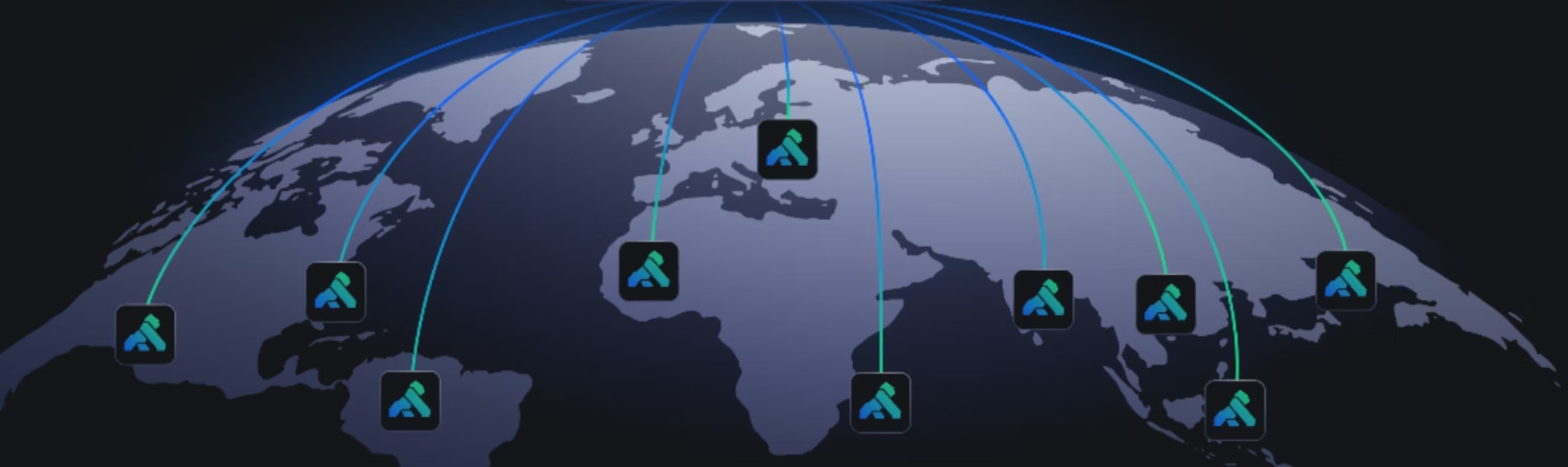
Modern architectures rarely live in a single cloud. You might deploy an AWS region for primary production traffic, an Azure region for European workloads, and a Google Cloud region for your analytics and AI services. Kong Dedicated Cloud Gateways (DCGW) provide a fully managed data plane that runs in your cloud account while remaining controlled through Kong Konnect. This model enables enterprises to deploy gateways across providers while maintaining centralized governance.
This post walks through configuring Dedicated Cloud Gateways across multiple clouds and regions. It also shows how to enable shared state capabilities using managed caching powered by Redis.
Architecture Overview
A multicloud DCGW architecture typically contains three main layers.
1. Konnect Control Plane
The SaaS control plane manages configuration, plugins, and policies. All gateways connect securely to this layer.
2. Dedicated Cloud Gateway Data Planes
Each cloud environment hosts its own gateway cluster. These run inside the customer's cloud account and process traffic locally.
3. Regional Shared State
Optional managed Redis instances provide caching, rate limiting counters, or AI token governance close to the gateway.
A typical deployment might include:
AWS region for primary production traffic
Azure region for European workloads
Google Cloud region for analytics and AI services
Each environment runs its own DCGW cluster while sharing governance from Konnect.
Accounts in each provider where gateways will run:
Amazon Web Services
Microsoft Azure
Google Cloud
Networking
Each environment should include:
A VPC or virtual network
Subnets for the gateway data plane
Internet or private connectivity for upstream services
Infrastructure Automation (recommended)
Multicloud deployments are easier to manage using the following:
Terraform
CI/CD pipelines
Infrastructure modules per provider
Step 1: Create a Dedicated Cloud Gateway in Konnect
Kong Dedicated Cloud Gateways provide fully managed, single-tenant infrastructure that abstracts away the operational overhead while giving you control over size and location. Behind the scenes, every DCGW runs in an individual single-tenant cloud environment, ensuring consistent performance, tenant isolation, and strong security boundaries, while the Konnect Control Plane remains multi-tenant.
Start by creating a gateway deployment from the Konnect control plane.
Log in to Konnect.
Navigate to Gateway Manager in the Konnect UI.
Click on New API Gateway from the New dropdown button.
Select Dedicated Cloud and give it a proper name.
Example configuration:
Gateway Name: prod-billing-svcs
Description: Gateway for Billing services in production
Step 2: Deploy Gateways Across Multiple Clouds
Choose your cloud provider and region.
Select the type of access.
This is an example topology configuration to cover a couple of common scenarios:
Fig. Example Topology
Once created, Konnect provisions the infrastructure inside your cloud environment.
Even though each gateway runs in a different cloud, they share configuration through Konnect.
This means:
APIs are defined once
Policies apply globally
Traffic enforcement happens locally
Note: Currently only AWS and Azure are enabled to create managed caches.
Step 3: Configure Networking and Service Connectivity
Each gateway must connect to upstream services running in its cloud environment.
Typical patterns include:
Local Service Routing
Each gateway routes to services deployed in the same cloud.
Multicloud systems often require shared state across gateway instances.
Examples include:
Global rate limiting
AI token accounting
API response & AI Semantic caching
Session management
Dedicated Cloud Gateways can enable managed Redis directly from Konnect.
Enable Redis in Konnect
Managed caches are configured at the control plane level and must be associated with a control plane when they are created. Currently, the size available is small (approximately 1 GiB), but larger sizes are planned for future support. If you require a larger cache immediately, please contact your account team. Managed caches are available across all regions, which facilitates multi-region configurations.
List your existing Dedicated Cloud Gateway control planes:
You should get a response similar to the following:
## json
{"meta":{"page":{"total":3,"size":100,"number":1}},"data":[{"id":"uuuidnumber","name":"prod-billing-svcs","description":"Gateway for billing services in production","labels":{},"config":{"control_plane_endpoint":"https://uuuidnumber.us.cp0.konghq.com","telemetry_endpoint":"https://uuuidnumber.us.tp0.konghq.com","cluster_type":"CLUSTER_TYPE_CONTROL_PLANE","auth_type":"pinned_client_certs","cloud_gateway":true,"proxy_urls":[]},"created_at":"2026-03-11T22:44:08.466Z","updated_at":"2026-03-11T22:44:08.466Z"}]}
Copy and export the control plane you want to configure the managed cache for:
## shell
exportCONTROL_PLANE_ID='YOUR CONTROL PLANE ID'
Create a managed cache using the Cloud Gateways add-ons API:
As Redis is a regional service, each cloud environment will be provisioned with its own dedicated, high-performance cache. Please note that we will pause briefly here, as the deployment of these resources may take up to 15 minutes.
You should be able to check it under Redis Configurations
Fig. Redis Configuration with Konnect managed cache configuration
Step 5: Configure Plugins That Use Redis
Once Redis is enabled, it can support several Kong plugins. Some plugins in Kong Gateway share common Redis configuration settings that often need to be repeated. Partials, like the one created in the previous step, allow you to reuse shared Redis configurations across [plugins](https://developer.konghq.com/gateway/entities/plugin/)plugins.
A pipeline can then deploy gateways across providers consistently.
Benefits include:
Repeatable infrastructure
Version controlled architecture
Faster environment provisioning
Apply Global Governance Policies
With multiple gateways deployed, policies should be applied centrally.
Examples:
Security
Authentication plugins
OAuth or API keys
mTLS
Traffic Management
Rate limits
circuit breakers
request transformations
AI Governance
token quotas
model routing
request filtering
All policies are defined once in Konnect and synchronized automatically to each gateway.
Observability Across Multicloud Gateways
Monitoring becomes critical in distributed environments.
Recommended telemetry includes:
Request latency
API error rates
cache hit ratios
rate limit violations
Konnect provides centralized analytics while gateways continue to process traffic locally.
This allows teams to identify issues across clouds without operating separate monitoring stacks.
Example Multicloud Deployment Pattern
A production architecture might look like this:
Characteristics of this architecture:
Each gateway processes traffic locally
Redis provides regional shared state
Konnect ensures global configuration consistency
Best Practices for Multicloud Gateways
Keep Traffic Local
Route traffic to services within the same cloud whenever possible to reduce latency.
Use Regional Caches
Deploy Redis per region rather than a single global instance to maintain performance.
Standardize Gateway Configurations
Use infrastructure automation to avoid configuration drift across clouds.
Separate Environments
Use dedicated gateways for:
production
staging
development
This prevents configuration changes from impacting live traffic.
Getting Started
Dedicated Cloud Gateways allow organizations to combine the benefits of SaaS management with the performance and control of running gateways directly in their own cloud environments.
By deploying gateways across providers such as AWS, Azure, and Google Cloud, teams can create resilient multicloud architectures while maintaining consistent governance.
With the addition of managed Redis caching, gateways can evolve from stateless proxies into intelligent infrastructure capable of enforcing rate limits, caching responses, and governing AI workloads.
To get started:
Create a Dedicated Cloud Gateway in Konnect
Deploy additional gateways across cloud providers
Enable managed Redis for shared state
Apply global API and AI governance policies
From there, your API and AI infrastructure can scale across clouds while remaining centrally managed and operationally simple.
Your infrastructure already has the raw materials: compute (VMs, containers, serverless), event streaming (Kafka, Kinesis, Pub/Sub, RabbitMQ), data stores (warehouses, databases, object storage), and AI endpoints (any hosted or self-hosted LLM). Tho
Hugo Guerrero
# Why Your Kafka Event Streams Need an Event Gateway
You wouldn't expose a REST API without a gateway. What about Kafka?
Before we talk about an event gateway, it's worth grounding ourselves on what an event is. An event is simply a record of something that happened. In modern integration, there are
Warren Vella
# LLM Cost Management: How to Implement AI Showback and Chargeback
Bring Financial Accountability to Enterprise LLM Usage with Konnect Metering and Billing
Showback and chargeback are not the same thing. Most organizations conflate these two concepts, and that conflation delays action. Understanding the LLM showb
Alex Drag
# Kong Simplifies Multicloud Cloud Gateways with Managed Redis Cache
Managed Redis cache is a turnkey "Shared State" add-on for Kong Dedicated Cloud Gateways. It is designed to combine the performance of an in-memory data store with the simplicity of a SaaS product. When you spin up a Dedicated Cloud Gateway in Kong
Amit Shah
# AI Input vs. Output: Why Token Direction Matters for AI Cost Management
The Shifting Economic Landscape: The AI token economy in 2026 is evolving, and enterprise leaders must distinguish between low-cost input tokens and high-premium output tokens to maintain profitability. Agentic AI Financial Risks: The transition t
Dan Temkin
# An Early Christmas Present for the AI C-Suite: Metering & Billing Comes to Kong Konnect
The AI boom has a dirty secret: for most enterprises, it's bleeding money. Every LLM call, every agent invocation, every API request that powers your AI products — they all cost something. And right now, most organizations have no idea what they're
Alex Drag
# Multi-Cloud API and AI Infra Gets Smarter: Managed Redis for Kong DCGW
Global, multi-cloud agentic infrastructure Modern enterprises are embracing multi-cloud strategies to avoid vendor lock-in, optimize costs, and ensure resilience. Yet managing API infrastructure (which also happens to be AI infrastructure) across mu
Alex Drag
# Stop Patching. Start Building: The Kong Context Mesh Stack
Your infrastructure already has the raw materials: compute (VMs, containers, serverless), event streaming (Kafka, Kinesis, Pub/Sub, RabbitMQ), data stores (warehouses, databases, object storage), and AI endpoints (any hosted or self-hosted LLM). Tho
Hugo Guerrero
# Why Your Kafka Event Streams Need an Event Gateway
You wouldn't expose a REST API without a gateway. What about Kafka?
Before we talk about an event gateway, it's worth grounding ourselves on what an event is. An event is simply a record of something that happened. In modern integration, there are
Warren Vella
# LLM Cost Management: How to Implement AI Showback and Chargeback
Bring Financial Accountability to Enterprise LLM Usage with Konnect Metering and Billing
Showback and chargeback are not the same thing. Most organizations conflate these two concepts, and that conflation delays action. Understanding the LLM showb
Alex Drag
# Kong Simplifies Multicloud Cloud Gateways with Managed Redis Cache
Managed Redis cache is a turnkey "Shared State" add-on for Kong Dedicated Cloud Gateways. It is designed to combine the performance of an in-memory data store with the simplicity of a SaaS product. When you spin up a Dedicated Cloud Gateway in Kong
Amit Shah
# AI Input vs. Output: Why Token Direction Matters for AI Cost Management
The Shifting Economic Landscape: The AI token economy in 2026 is evolving, and enterprise leaders must distinguish between low-cost input tokens and high-premium output tokens to maintain profitability. Agentic AI Financial Risks: The transition t
Dan Temkin
# An Early Christmas Present for the AI C-Suite: Metering & Billing Comes to Kong Konnect
The AI boom has a dirty secret: for most enterprises, it's bleeding money. Every LLM call, every agent invocation, every API request that powers your AI products — they all cost something. And right now, most organizations have no idea what they're
Alex Drag
# Multi-Cloud API and AI Infra Gets Smarter: Managed Redis for Kong DCGW
Global, multi-cloud agentic infrastructure Modern enterprises are embracing multi-cloud strategies to avoid vendor lock-in, optimize costs, and ensure resilience. Yet managing API infrastructure (which also happens to be AI infrastructure) across mu
Alex Drag
# Stop Patching. Start Building: The Kong Context Mesh Stack
Your infrastructure already has the raw materials: compute (VMs, containers, serverless), event streaming (Kafka, Kinesis, Pub/Sub, RabbitMQ), data stores (warehouses, databases, object storage), and AI endpoints (any hosted or self-hosted LLM). Tho
Hugo Guerrero
# Why Your Kafka Event Streams Need an Event Gateway
You wouldn't expose a REST API without a gateway. What about Kafka?
Before we talk about an event gateway, it's worth grounding ourselves on what an event is. An event is simply a record of something that happened. In modern integration, there are
Warren Vella
# LLM Cost Management: How to Implement AI Showback and Chargeback
Bring Financial Accountability to Enterprise LLM Usage with Konnect Metering and Billing
Showback and chargeback are not the same thing. Most organizations conflate these two concepts, and that conflation delays action. Understanding the LLM showb
Alex Drag
# Kong Simplifies Multicloud Cloud Gateways with Managed Redis Cache
Managed Redis cache is a turnkey "Shared State" add-on for Kong Dedicated Cloud Gateways. It is designed to combine the performance of an in-memory data store with the simplicity of a SaaS product. When you spin up a Dedicated Cloud Gateway in Kong
Amit Shah
# AI Input vs. Output: Why Token Direction Matters for AI Cost Management
The Shifting Economic Landscape: The AI token economy in 2026 is evolving, and enterprise leaders must distinguish between low-cost input tokens and high-premium output tokens to maintain profitability. Agentic AI Financial Risks: The transition t
Dan Temkin
# An Early Christmas Present for the AI C-Suite: Metering & Billing Comes to Kong Konnect
The AI boom has a dirty secret: for most enterprises, it's bleeding money. Every LLM call, every agent invocation, every API request that powers your AI products — they all cost something. And right now, most organizations have no idea what they're
Alex Drag
# Multi-Cloud API and AI Infra Gets Smarter: Managed Redis for Kong DCGW
Global, multi-cloud agentic infrastructure Modern enterprises are embracing multi-cloud strategies to avoid vendor lock-in, optimize costs, and ensure resilience. Yet managing API infrastructure (which also happens to be AI infrastructure) across mu
Alex Drag
## Ready to see Kong in action?
Get a personalized walkthrough of Kong's platform tailored to your architecture, use cases, and scale requirements.